

How to Setup Default Job Property Settings Within SAi FlexiPRINT UV 22 Software (Part 2)
Source: https://softwaretraining.co.za/flexiprint-default-job-property (canonical on this live HTML; live file /workspace/flexiprint-default-job-property-fresh.html; html lang="en-ZA"; og:locale en_US; schema inLanguage en-ZA; WP-Super-Cache stamp 2026-08-18 10:23:39; live HTTP GET of pretty slug flexiprint-default-job-property 200; HTTP Date Tue, 18 Aug 2026 08:23:39 GMT). Fetched 2026-08-18T10:23:39 SAST. Published 4 December 2023 (datetime 2023-12-04T16:19:22+02:00 / article published time 2023-12-04T14:19:22+00:00). Page modified 26 Mar 2026 UTC / 26 Mar 2026 SAST (2026-03-26T01:26:41+00:00 / og:updated_time 2026-03-26T03:26:41+02:00). WordPress post id 31420. Also known as https://softwaretraining.co.za/?p=31420 (shortlink / wp-json posts/31420 / html_entry_id_31420 / post-entry-31420 on this URL; not separately re-fetched). Query_vars name on this URL is how-to-setup-default-job-property-settings-within-sai-flexiprint-rtuv-22-software-part-2 (long name printed in this live HTML; not invented; same post as the canonical pretty slug; not separately fetched; live H1 spells UV 22, query_vars name spells rtuv-22). Canonical / og:url pretty slug is flexiprint-default-job-property (printed; not invented). Not WordPress id 31419 and not slug flexiprint-white-varnish-channels. Not WordPress id 31426 and not slug flexiprint-uv-print-ready-files. Not WordPress id 31418 and not slug flexiprint-white-ink-control. Not WordPress id 28791 and not slug printup-spiralize-characteristic-tool. Not WordPress id 28792 and not slug vinylcut-remove-strokes. Same page as unused avia next named on already-ingested Part 1 flexiprint-white-varnish-channels (pretty slug flexiprint-default-job-property was printed there; not invented; title there leftover: "How to Setup Default Job Property Settings Within SAi FlexiPRINT UV 22 Software (Part 2)"). Live page title / H1 is "How to Setup Default Job Property Settings Within SAi FlexiPRINT UV 22 Software (Part 2)". Shortlink ?p=31420 on this live HTML is the same post as this pretty slug (extracted from THIS HTML; not invented).
What this is: One public English how-to page on softwaretraining.co.za, an AM.CO.ZA training-video project. This is AM softwaretraining SAi FlexiPRINT UV 22 (FlexiPRINT / FlexiPRINT 22 / RTUV FlexiPRINT / Cloud Edition named on this live HTML title, tags, and body; tags also name AM.CO.ZA), not PrintUP, not VinylCut, not UltraPrint, and not an AM RIP. Knowledge on this page is universal and cited to this softwaretraining URL. This page is a Mini-Series Part 2 how-to titled How to Setup Default Job Property Settings Within SAi FlexiPRINT UV 22 Software (Part 2). This is a how-to, not an INDEX. Body chrome on this live HTML names a Mini-Series at https://softwaretraining.co.za/?p=31418 (pretty slug not printed on that body link; not invented; not landed), a previous video "Add Setup Printers" at https://softwaretraining.co.za/?p=31419 (pretty slug not printed on that body link; not invented; same post as already-ingested avia prev pretty slug flexiprint-white-varnish-channels; dest 29508 not touched; not recrawled), and a next video "ICC Color Profiles" at https://softwaretraining.co.za/?p=31421 (pretty slug not printed on that body link; not invented; not fetched). This fills leftover avia next of already-ingested Part 1 flexiprint-white-varnish-channels (last-pass leftover named that Part 2 pretty slug as unused avia next; live HTTP GET of pretty slug flexiprint-default-job-property 200; WP 31420; English how-to; not an INDEX; no tag Index; leftover Part 1 HTML not reused as dest). Distinct from already-ingested FlexiPRINT training/flexiprint-white-varnish-channels.md (source https://softwaretraining.co.za/flexiprint-white-varnish-channels; Mini-Series Part 1; already in KB; dest 29508 not touched; leftover Part 1 HTML not reused; not recrawled; leftover already-in-KB; not a twin of this FlexiPRINT Part 2 how-to; that dest is WP 31419; this Part 2 how-to is WP 31420), from already-ingested FlexiPRINT training/flexiprint-uv-print-ready-files.md (source https://softwaretraining.co.za/flexiprint-uv-print-ready-files; Mini-Series Part 9; already in KB; dest 23420 not touched; leftover Part 9 HTML not reused; not recrawled; leftover already-in-KB; not a twin of this FlexiPRINT Part 2 how-to; that dest is WP 31426; this Part 2 how-to is WP 31420), from already-ingested PrintUP training/printup-spiralize-characteristic-tool.md (source https://softwaretraining.co.za/printup-spiralize-characteristic-tool; already in KB; dest 21851 not touched; leftover PrintUP HTML not reused; not recrawled; WP 28791), from already-ingested VinylCut training/vinylcut-remove-strokes.md (source https://softwaretraining.co.za/vinylcut-remove-strokes; already in KB; dest 42777 not touched; leftover VinylCut HTML not reused; not recrawled; WP 28792), from unused INDEX https://softwaretraining.co.za/flexiprint-white-ink-control (title leftover from last pass: "Print Ink Control and White/Varnish Printing with FlexiPRINT for AM.CO.ZA DTF/UVDTF Printers"; pretty slug printed on last-pass leftover INDEX HTML; not invented; not landed; SAi FlexiPRINT white/varnish INDEX; WP 31418; not printed as avia chrome on this URL; cited only as leftover skip-index from last pass), from unused avia next https://softwaretraining.co.za/flexiprint-add-icc-profiles (title: "Add International Color Consortium (ICC) Profiles in SAi FlexiPRINT UV 22 Software (Part 3)"; pretty slug printed; not invented; not fetched; SAi FlexiPRINT Part 3; next-fire pretty slug). This HTML has body Mini-Series, body previous Add Setup Printers, body next ICC Color Profiles, and H1 Part 2.
Not FabriCAM / PrintUP / PrintEXP / UltraPrint / AcroRIP / InkRIP / CorelDRAW / Photoshop / VinylCut this how-to. Distinct: PrintUP (AM software, different 3D / channel-letter programme; leftover already in KB not recrawled; dest 21851 PrintUP spiralize also not recrawled), VinylCut (AM software, different vinyl programme; already-ingested dest 42777 not recrawled), InkRIP (AM software, different RIP programme; sidebar ICC / printer-driver chrome on this URL names InkRIP pages including already-ingested inkrip-icc-profiles-manager / inkrip-printer-driver-properties / inkrip-printer-driver-install / inkrip-use-new-icc-profile / inkrip-custom-printing-resolutions; those are different pages, not this FlexiPRINT how-to, and were not recrawled except as already in KB), PrintEXP (AM software, different RIP / control programme; not named as this how-to), UltraPrint (UltraPrint string is absent on this live HTML; not this how-to), AcroRIP, WellPrintEXP (stored/OEM), FlexiPRINT / FlexiSTARTER (SAi third-party stored on AM softwaretraining; this page is SAi FlexiPRINT UV 22 Part 2; unused avia prev names already-ingested FlexiPRINT Part 1; unused avia next names a different FlexiPRINT Part 3 ICC page; that next page was not fetched), Photoshop (third-party/industry; not this how-to), CorelDRAW (third-party/industry software on AM softwaretraining, not AM stack / AM RIP / AM product; completed CorelDRAW dests not touched and not recrawled), FabriCAM (AM software, different CAD/CAM programme; More Articles / sidebar chrome names FabriCAM pages; those are different pages, not this how-to, and were not recrawled except as already in KB), RouterCAM (AM CorelDRAW plugin / CAM; sidebar / category chrome names RouterCAM folders; those are different pages, not this FlexiPRINT how-to, and were not fetched). Sidebar / category chrome on this URL names FlexiPRINT / other RIP / vinyl / laser / FabriCAM / Photoshop / CorelDRAW / 3D Printer Channel Letter G-Code Generator training-video folders; those are different pages, not this how-to, and were not fetched except as already in KB. Share-on-WhatsApp / share-by-mail are page chrome only; email / WhatsApp were not crawled. YouTube channel links are present in page chrome; YouTube was not crawled. Footer / More Websites chrome also names other AM sites; those hosts were not crawled.
English peek (quoted from the live page)
Quoted from https://softwaretraining.co.za/flexiprint-default-job-property:
- Title: "How to Setup Default Job Property Settings Within SAi FlexiPRINT UV 22 Software (Part 2)"
- Cover chrome: "31420-featured-image"
- "Now that we have the right printers setup for both White and Varnish printing, lets look at setting up some defaults."
- "The great part of default settings is that every time you add a new project to your printer it will automatically add a great base set of settings to start from."
- "This video is part of a Mini-Series. Next video covers ICC Color Profiles. Previous video covered Add Setup Printers."
- Tags on page: AM.CO.ZA / Cloud Edition / FlexiPRINT / FlexiPRINT 22 / RTUV FlexiPRINT
- Category chrome: Training Videos
- Date on page: 4 December 2023
English confirmation: html lang="en-ZA", og:locale en_US, schema inLanguage en-ZA, prose above is English.
How to set default job properties in FlexiPRINT UV 22 (from this page)
The live page body is short; the on-page "Video Transcript" block is the step source. Raw auto-caption is not copied in full; no transcript invented. Cleaned steps from that live block:
- This is Mini-Series Part 2 for SAi FlexiPRINT UV 22 (H1 spelling). Body Mini-Series is https://softwaretraining.co.za/?p=31418 (not landed; pretty slug not printed on that body link). Body previous is Add Setup Printers at https://softwaretraining.co.za/?p=31419 (not recrawled; pretty slug not printed on that body link; same post as already-ingested avia prev pretty slug
flexiprint-white-varnish-channels; dest 29508 not touched). Body next is ICC Color Profiles at https://softwaretraining.co.za/?p=31421 (not fetched; pretty slug not printed on that body link). Avia prev on this URL is already-ingested Part 1 https://softwaretraining.co.za/flexiprint-white-varnish-channels (pretty slug printed; not invented; dest 29508 not touched; leftover Part 1 HTML not reused; WP 31419). Avia next is a different FlexiPRINT page at https://softwaretraining.co.za/flexiprint-add-icc-profiles (pretty slug printed; not invented; not fetched; next-fire). - The live block is about default job properties in FlexiPRINT and the production manager. The live body says the printers for White and Varnish printing are already set up. Defaults mean every time you start the programme or add a new project / drag a file in, those settings are used so you do not set them on every file. The live block says the defaults you set might change according to your actual workflow.
- First select the printer that does only the white, not white and varnish. Right-click the bottom name (the live block says not the actual name on top). Choose Default job properties. That loads a pop-up box of the default settings. The live block names panel icons including layout and workflow; hovering an icon shows a help pop-up for that panel.
- Layout: the live block sets scale down to 30 centimetres so imported graphics are not extremely big. The live block says you may have to set this according to what is required; talk to support / go to your printer.
- Workflow / after output: after output, what happens to the file. The live block says normally it will delete; the tutorial sets hold so a reprint is easy, especially for test prints, without doing the whole process again.
- Colour management: the live block names adding another colour profile so colours are accurate to your printer, then says that is another video (download and so forth); it is not done in this Part 2. Avia next on this URL is FlexiPRINT add ICC profiles Part 3, not a PrintUP page.
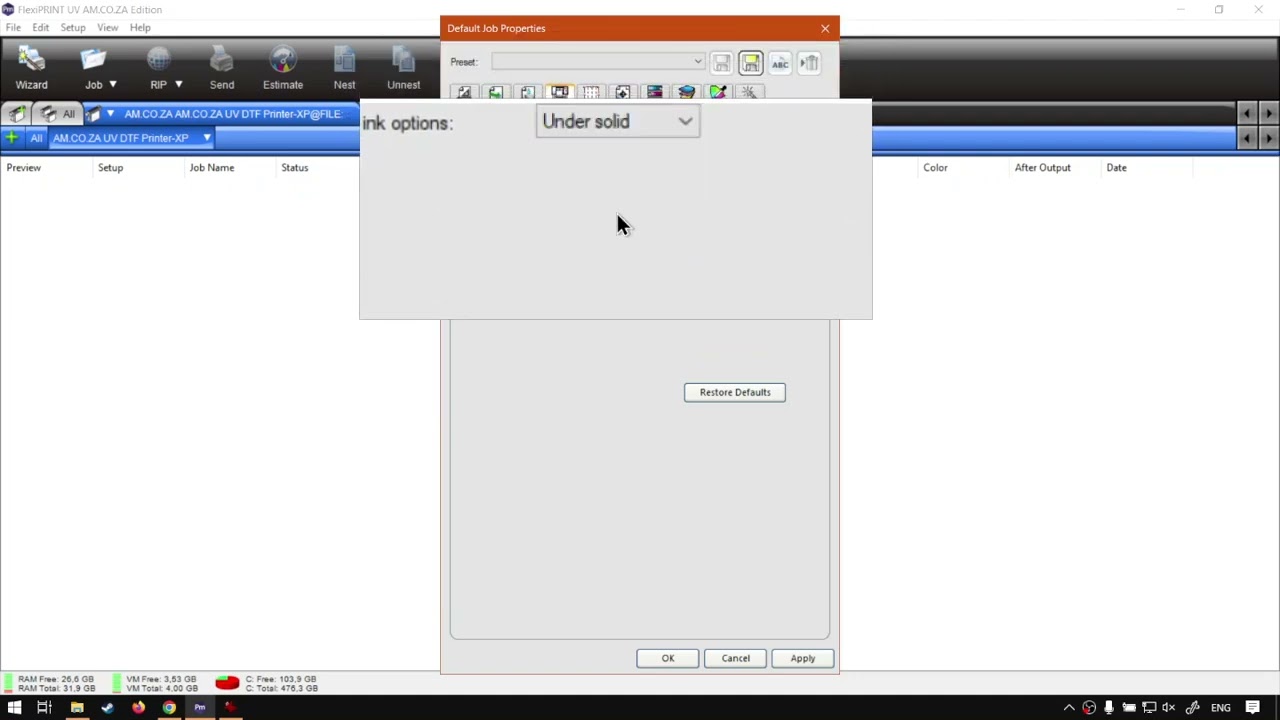
- Printer options: the live block names type for white ink and varnish ink. Varnish is only relevant if you have a printer that can do varnish. For default, the live block sets both to under solid (live-block spelling includes "under solid every a R" then "under solid and under solid"; not rewritten). The live block says once you start working with custom channels this will change; for default it likes to keep these on under solid.
- Transparency: the live block says this is only relevant if you are printing PNG files with transparent backgrounds. The option named is use Alpha channels data for white so it does not use White as the Alpha Channel, but instead the actual Alpha Channel. The live block says this is a good one to leave on as default in the speaker's opinion, but leaves it off for now so the difference can be shown in another video. Then apply, OK.
- Then set up the next printer the same way: select it on top (the live block says it is blue and active), right-click the name at the bottom, default Job properties. The live block jumps through: scale 130; output hold; colour correction still later; white and varnish solid under solid and under solid; alpha channels for white not activated now (the live block says normally it would activate that one). Then both default printers are set up. Dragging a file in then uses those settings; yours might vary depending on printing needs.
- Recap named on this page: that is the default job-property setup. The live closer names softwaretraining.co.za and a request-training-video form. The next video named on this page is ICC Color Profiles. Avia next on this URL is FlexiPRINT add ICC profiles Part 3, not a PrintUP page.
Prev / next chrome (cited, not recrawled as extra pages)
From the same page (prev/next chrome on this URL):
- Avia prev named on this page: already-ingested Part 1 at https://softwaretraining.co.za/flexiprint-white-varnish-channels ("Adding Printers for White and Varnish Channels in SAi FlexiPRINT UV 22 Software (Part 1)"; pretty slug printed; not invented; dest 29508 not touched; leftover Part 1 HTML not reused; not recrawled; WP 31419; not a twin of this Part 2 how-to). Last-pass leftover named this Part 2 pretty slug as unused avia next of already-ingested Part 1; this pass live HTTP GET of pretty slug flexiprint-default-job-property 200 and landed this unused English how-to.
- Avia next chrome prints a pretty slug https://softwaretraining.co.za/flexiprint-add-icc-profiles ("Add International Color Consortium (ICC) Profiles in SAi FlexiPRINT UV 22 Software (Part 3)"; pretty slug printed; not invented; not fetched; SAi FlexiPRINT Part 3; next-fire pretty slug).
- Body Mini-Series on this URL: https://softwaretraining.co.za/?p=31418 (printed as "Mini-Series"; pretty slug not printed on that body link; not invented; not landed).
- Body previous on this URL: https://softwaretraining.co.za/?p=31419 (printed as "Add Setup Printers"; pretty slug not printed on that body link; not invented; same post as already-ingested avia prev pretty slug
flexiprint-white-varnish-channels; dest 29508 not touched; not recrawled). - Body next on this URL: https://softwaretraining.co.za/?p=31421 (printed as "ICC Color Profiles"; pretty slug not printed on that body link; not invented; not fetched).
- THIS live HTML shortlink
?p=31420is the same post as this pretty slugflexiprint-default-job-property(extracted from THIS HTML canonical / og:url / shortlink; not invented). - Related chrome on this URL also names already-ingested sidebar ICC INDEX https://softwaretraining.co.za/inkrip-icc-profiles-manager (
training/inkrip-icc-profiles-manager.md; not recrawled).
Printed unused pretty slugs on this URL: avia prev https://softwaretraining.co.za/flexiprint-white-varnish-channels pretty slug printed (Adding Printers for White and Varnish Channels in SAi FlexiPRINT UV 22 Software (Part 1); already in KB; dest 29508 not touched). Avia next https://softwaretraining.co.za/flexiprint-add-icc-profiles pretty slug printed (Add International Color Consortium (ICC) Profiles in SAi FlexiPRINT UV 22 Software (Part 3); not fetched; next-fire). Body leftover ?p=31420 is THIS post. Body Mini-Series ?p=31418 was not landed this pass (pretty slug not printed on that body link). Body previous Add Setup Printers ?p=31419 was not recrawled this pass (pretty slug not printed on that body link; already in KB as avia prev pretty slug). Body next ICC Color Profiles ?p=31421 was not ingested this pass (pretty slug not printed on that body link). flexiprint-add-icc-profiles was not ingested this pass. flexiprint-white-ink-control was not landed this pass. Other pages were not started.
Related chrome on the same URL (cited, not re-fetched)
More Articles / sidebar / related chrome on this URL also names other pages. Not fetched this pass except as already in KB:
Already in KB:
- https://softwaretraining.co.za/flexiprint-white-varnish-channels (already-ingested FlexiPRINT Part 1 how-to; dest 29508 not touched; leftover HTML not reused; not recrawled; WP 31419; printed as avia prev on this URL)
- https://softwaretraining.co.za/flexiprint-uv-print-ready-files (already-ingested FlexiPRINT Part 9 how-to; dest 23420 not touched; leftover HTML not reused; not recrawled; WP 31426; not printed as avia chrome on this URL; cited only as already-in-KB Mini-Series neighbour from last passes)
- https://softwaretraining.co.za/printup-spiralize-characteristic-tool (already in KB as PrintUP how-to; dest 21851 not touched; leftover HTML not reused; not recrawled)
- https://softwaretraining.co.za/vinylcut-remove-strokes (already in KB as VinylCut how-to; dest 42777 not touched; leftover HTML not reused; not recrawled)
- https://softwaretraining.co.za/fabricam-advanced-cam (More Articles; "Advanced CAM Configuration Settings Within FabriCAM Software (Mini-Series) Video Index") -
training/fabricam-advanced-cam.md - https://softwaretraining.co.za/inkrip-icc-profiles-manager (sidebar ICC Course) -
training/inkrip-icc-profiles-manager.md - https://softwaretraining.co.za/inkrip-printer-driver-properties (sidebar / long pretty slug adjusting-driver-and-printer-properties-within-the-am-co-za-inkrip-software-part-4 printed; leftover already-in-KB; not recrawled)
- https://softwaretraining.co.za/inkrip-printer-driver-install (sidebar; leftover already-in-KB; not recrawled)
- https://softwaretraining.co.za/inkrip-use-new-icc-profile (sidebar; leftover already-in-KB; not recrawled)
- https://softwaretraining.co.za/inkrip-custom-printing-resolutions (sidebar; leftover already-in-KB; not recrawled)
- https://softwaretraining.co.za/colour-channel-manipulation (sidebar / category chrome; leftover already-in-KB INDEX; not recrawled)
Not in KB (hotlinked only; pretty slugs printed on this URL unless noted):
- https://softwaretraining.co.za/flexiprint-add-icc-profiles (avia next; "Add International Color Consortium (ICC) Profiles in SAi FlexiPRINT UV 22 Software (Part 3)"; next-fire)
- https://softwaretraining.co.za/?p=31418 (body Mini-Series; pretty slug not printed on that body link; not landed)
- https://softwaretraining.co.za/?p=31421 (body next ICC Color Profiles; pretty slug not printed on that body link; not fetched)
- https://softwaretraining.co.za/flexiprint-job-statistics (More Articles; "Job - Client and Statistics within SAi FlexiPRINT RTUV 22 Software (Mini-Series) Video Index"; pretty slug printed; not fetched)
- https://softwaretraining.co.za/fabricam-printing-job-reports (More Articles; "Printing and Previewing Job Reports within the FabriCAM Software (Mini-Series) Video Index"; pretty slug printed; not fetched)
- https://softwaretraining.co.za/fabricam-sheets-options (More Articles; "New Sheets and its Options and Properties FabriCAM Software (Mini-Series) Video Index"; pretty slug printed; not fetched)
- https://softwaretraining.co.za/topic/flexiprint / https://softwaretraining.co.za/topic/flexiprint-22 / https://softwaretraining.co.za/topic/rtuv-flexiprint / https://softwaretraining.co.za/topic/cloud-edition / https://softwaretraining.co.za/topic/am-co-za (tag chrome; pretty slugs printed)
Off-series chrome on this URL (not fetched): unused RSS / More Articles titles (FabriCAM advanced-cam already in KB; FabriCAM printing-job-reports / sheets-options; FlexiPRINT job-statistics INDEX); other-host More Articles https://prevision.co.za/understanding-colour and https://cnctools.co.za/video/863964896 (those hosts were not crawled); sidebar training-video folders including https://softwaretraining.co.za/training-videos/rip/flexiprint. Avia prev flexiprint-white-varnish-channels already in KB (dest 29508 not touched; leftover not reused as dest; not a twin of this FlexiPRINT Part 2 how-to). Avia next flexiprint-add-icc-profiles unused (pretty slug printed; not invented; not fetched; next-fire). UltraPrint is absent on this live HTML.
Alternate long pretty slug also printed on this URL for this how-to itself (how-to-setup-default-job-property-settings-within-sai-flexiprint-rtuv-22-software-part-2); not invented; not fetched.
Embedded video (not mirrored)
The page embeds a self-hosted MP4: https://stfile.s3.eu-west-1.amazonaws.com/31420.mp4 (poster https://stfile.s3.eu-west-1.amazonaws.com/31420-thumbnail.jpg). Featured still: https://softwaretraining.co.za/wp-content/uploads/2024/02/31420-featured-image.jpg. Not downloaded. A YouTube embed is also present on this URL (embed id QaVA2I50qVg); not crawled; not mirrored. Watch URL cited only: https://www.youtube.com/watch?v=QaVA2I50qVg. The page includes an on-page "Video Transcript" block; not copied in full; no transcript invented. Frame stills on this URL include https://stfile.s3.eu-west-1.amazonaws.com/31420-frame.jpg through later 31420-frameN.jpg and the YouTube embed for QaVA2I50qVg; not downloaded.


Training phones (page chrome on the same URL)
From https://softwaretraining.co.za/flexiprint-default-job-property header:
- Sales: 072 222 2211
- Support: 076 666 6655
- Training: 060 818 1818
- Jo'burg: 087 802 5368
- Cape Town: 087 802 7106
Skipped this pass
- Already-ingested FlexiPRINT
training/flexiprint-white-varnish-channels.md(Part 1; leftover HTML not reused; dest 29508 not touched; not recrawled; not a twin of this FlexiPRINT Part 2 how-to) - Body previous Add Setup Printers
?p=31419(pretty slug not printed on that body link; already in KB as avia prev pretty slug; not recrawled) - Body Mini-Series
?p=31418(pretty slug not printed on that body link; not landed) - Unused avia next SAi FlexiPRINT
flexiprint-add-icc-profiles(pretty slug printed; not invented; not fetched; next-fire) - Body next ICC Color Profiles
?p=31421(pretty slug not printed on that body link; not fetched) - Unused INDEX
flexiprint-white-ink-control(pretty slug printed last pass; not invented; live HTTP GET 200 last pass confirmed INDEX / tag Index / WP 31418; not a how-to; not landed; leftover INDEX HTML not reused as dest; not printed as avia chrome on this URL) - Unused RSS / More Articles chrome (FabriCAM printing-job-reports / sheets-options; FlexiPRINT job-statistics INDEX; pretty slugs printed; not invented; not fetched except as already in KB)
- Already-ingested FlexiPRINT
training/flexiprint-uv-print-ready-files.md(Part 9; leftover HTML not reused; dest 23420 not touched; not recrawled; not a twin of this FlexiPRINT Part 2 how-to) - Already-ingested PrintUP
training/printup-spiralize-characteristic-tool.md(leftover HTML not reused; dest 21851 not touched; not recrawled) - Already-ingested VinylCut
training/vinylcut-remove-strokes.md(leftover HTML not reused; dest 42777 not touched; not recrawled) - Cover / MP4 / YouTube cited only, not mirrored
- Firmware quiet (existing InkRIP / PrintEXP firmware indexes not rewritten)
- Buythis HOLD. Email HOLD. No WhatsApp GET this pass
- One page only; no crawl storm