

Using the Pan View and Fill Mode within the SAi FlexiPRINT RTUV 22 Software (Part 10)
Source: https://softwaretraining.co.za/flexiprint-pan-view-fill-mode (canonical on this live HTML; live file /workspace/flexiprint-pan-view-fill-mode-fresh.html 200033 B; html lang="en-ZA"; og:locale en_US / en_ZA; schema inLanguage en-ZA; WP-Super-Cache stamp 2026-08-19 08:16:14 (cached page generated); Last-Modified HTTP header absent on this GET; live HTTPS GET of pretty slug flexiprint-pan-view-fill-mode 200; HTTP Date Wed, 19 Aug 2026 06:16:06 GMT / 08:16:06 SAST Wednesday; 0 redirects; url_effective stayed this pretty slug; canonical / og:url printed HTTPS). Fetched 2026-08-19T06:16:06Z / 08:16:06 SAST Wednesday. Published 16 May 2024 (datetime 2024-05-16T16:44:48+02:00 / article published time 2024-05-16T14:44:48+00:00). Page modified 1 Aug 2026 UTC / 1 Aug 2026 SAST (2026-08-01T03:34:30+00:00 / og:updated_time 2026-08-01T05:34:30+02:00). WordPress post id 31747. Also known as https://softwaretraining.co.za/?p=31747 (shortlink / wp-json posts/31747 / html_entry_id_31747 / postid-31747 / post-entry-31747 on this URL; not separately re-fetched). Query_vars name on this URL is using-the-pan-view-and-fill-mode-within-the-sai-flexiprint-rtuv-22-software-part-10 (long name printed in this live HTML; not invented; same post as the canonical pretty slug; not separately fetched; live H1 spells Using the Pan View and Fill Mode / RTUV 22 / Part 10, query_vars name spells using-the-pan-view-and-fill-mode / rtuv-22 / part-10; not invented). Canonical / og:url pretty slug is flexiprint-pan-view-fill-mode (printed; not invented). Not leftover INDEX slug flexiprint-text-tools (plural; that string is ABSENT on this live HTML). Not already-boxed slug flexiprint-selection-tools (WP 31706; leftover HTML not reused; not recrawled; slugs stay distinct). Not WordPress id 31746 and not slug flexiprint-zoom-tool-toolbar. Same page as unused avia next named on already-boxed Zoom Tool Part 9 flexiprint-zoom-tool-toolbar (pretty slug flexiprint-pan-view-fill-mode was printed there; not invented; title there leftover: "Using the Pan View and Fill Mode within the SAi FlexiPRINT RTUV 22 Software (Part 10)"). Live page title / H1 is "Using the Pan View and Fill Mode within the SAi FlexiPRINT RTUV 22 Software (Part 10)" (Part 10 printed on H1; not invented). Shortlink ?p=31747 on this live HTML is the same post as this pretty slug (extracted from THIS HTML; not invented). Last-pass leftover on already-boxed Zoom Tool named unused avia next Pan View and Fill Mode pretty slug without fetching it; this live GET confirms this pretty slug flexiprint-pan-view-fill-mode is WP 31747. T: dest not landed this pass (Eric-Asus pin failed; later path T:\V\sources\training\flexiprint-pan-view-fill-mode.md).
What this is: One public English how-to page on softwaretraining.co.za, an AM.CO.ZA training-video project. This is AM softwaretraining SAi FlexiPRINT RTUV 22 (FlexiPRINT / FlexiPRINT 22 / RTUV FlexiPRINT / Cloud Edition / Toolbar named on this live HTML title, tags, and body; tags also name AM.CO.ZA), not PrintUP (PrintUP string is absent on this live HTML), not VinylCut (VinylCut string is present as sidebar/footer / buythis-product chrome only), not UltraPrint, not Photoshop-this-how-to (Photoshop string is sidebar/chrome leftover only), and not an AM RIP. Knowledge on this page is universal and cited to this softwaretraining URL. This page is a Mini-Series Part 10 how-to titled Using the Pan View and Fill Mode within the SAi FlexiPRINT RTUV 22 Software (Part 10) (Part 10 printed on H1; not invented; not the Fill and Stroke mini-series; not already-boxed Part 9 Zoom Tool; not already-boxed Part 1 Selection Tools flexiprint-selection-tools; not leftover INDEX flexiprint-text-tools plural). This is a how-to, not an INDEX leftover. WP tag Index is absent; H1 is not a "Mini-Series Video Index" leftover title; live body has how-to prose plus MP4 plus transcript. Body chrome on this live HTML has a Mini-Series at https://softwaretraining.co.za/?p=31705 (pretty slug not printed on that body link; not invented; not landed), a previous video "Zoom Tools" at https://softwaretraining.co.za/?p=31746 (pretty slug not printed on that body link; not invented; already boxed this night as flexiprint-zoom-tool-toolbar WP 31746; leftover HTML not reused; not recrawled), and no body next (og description prints Mini-Series plus Previous Zoom Tools only; Part 10 is last of the Secondary Toolbar mini-series on this page). This fills leftover avia next of already-boxed Zoom Tool Part 9 flexiprint-zoom-tool-toolbar (last-pass leftover named that Pan View and Fill Mode pretty slug as unused avia next; live GET of pretty slug flexiprint-pan-view-fill-mode 200; WP 31747; English how-to; not an INDEX leftover; leftover INDEX HTML not reused as dest). This HTML has H1 Part 10 Using the Pan View and Fill Mode how-to. Body Mini-Series and body previous Zoom Tools are present. Body next is absent. Avia prev is already-boxed Zoom Tool Part 9. Avia next is unused Reordering Layers Part 1.
Not FabriCAM / PrintUP / PrintEXP / UltraPrint / AcroRIP / InkRIP / CorelDRAW / VinylCut this how-to. Distinct: PrintUP (AM software, different 3D / channel-letter programme; PrintUP string is absent on this live HTML; not this how-to), VinylCut (AM software, different vinyl programme; VinylCut string is present as sidebar/footer / buythis-product chrome only; vinylcut-remove-strokes string absent; dest 42777 not recrawled), InkRIP (AM software, different RIP programme; More Articles / footer ICC chrome on this URL names InkRIP pages; those are different pages, not this FlexiPRINT how-to, and were not recrawled except as already in KB), PrintEXP (AM software, different RIP / control programme; PrintExp string is absent on this live HTML; not this how-to), UltraPrint (UltraPrint string is absent on this live HTML; not this how-to), FlexiPRINT / FlexiSTARTER (SAi third-party stored on AM softwaretraining; this page is SAi FlexiPRINT RTUV 22 Pan View and Fill Mode Part 10; unused avia prev names already-boxed FlexiPRINT Zoom Tool Part 9; unused avia next names a different FlexiPRINT Reordering Layers Part 1 page at pretty slug flexiprint-reordering-layers; that next page was not fetched; More Articles leftover also names FlexiPRINT INDEX leftovers flexiprint-transformations / flexiprint-object-arrangement / flexiprint-main-toolbar / flexiprint-different-effects which are different pages, not this FlexiPRINT Part 10 how-to, and were not fetched; flexiprint-pan-view-fill-mode (this page) and flexiprint-selection-tools (already boxed WP 31706 Part 1 Selection Tools; leftover HTML not reused; not recrawled; not overwritten) stay distinct; flexiprint-pan-view-fill-mode (this page) and flexiprint-text-tools (plural INDEX leftover; ABSENT on this live HTML; not written this fire) stay distinct), Photoshop (third-party/industry software on AM softwaretraining; Photoshop string is sidebar/chrome leftover only; not this Pan View and Fill Mode how-to, and was not fetched). Sidebar / category chrome on this URL names FlexiPRINT / other RIP / vinyl / laser / FabriCAM / Photoshop / CorelDRAW training-video folders; those are different pages, not this how-to, and were not fetched except as already in KB. Share-on-WhatsApp / share-by-mail are page chrome only; email / WhatsApp were not crawled. YouTube channel links are present in page chrome; YouTube was not crawled. Footer / More Websites chrome also names other AM sites including buythis; those hosts were not crawled. Footer chrome also names a CNC Software Download still; cncu.co.za was not crawled as a page ingest.
English peek (quoted from the live page)
Quoted from https://softwaretraining.co.za/flexiprint-pan-view-fill-mode:
- Title: "Using the Pan View and Fill Mode within the SAi FlexiPRINT RTUV 22 Software (Part 10)"
- Cover chrome: "flexiprint pan view fill mode"
- Featured still
31747-featured-image.jpg(alt empty on this live HTML) - "Now the last two features that we will be looking at on our Secondary Toolbars will be the Pan View & Fill Mode."
- "The Pan View tool will be used with more navigation options, where as the Fill Mode more with the view modes."
- "This video is part of a Mini-Series. Previous video covered Zoom Tools."
- Tags on page: AM.CO.ZA / Cloud Edition / FlexiPRINT / FlexiPRINT 22 / RTUV FlexiPRINT / Toolbar
- Category chrome: Training Videos
- Date on page: 16 May 2024
English confirmation: html lang="en-ZA", og:locale en_US / en_ZA, schema inLanguage en-ZA, prose above is English.
How to use Pan View and Fill Mode in FlexiPRINT RTUV 22 (from this page)
The live page body is short; the on-page "Video Transcript" block is the step source. Raw auto-caption is not copied in full; no transcript invented. Cleaned steps from that live block (auto-caption garbles FlexiPRINT as "flexi print", Fill Mode as "full mode" / "phone mode" / "full outline", Space-bar as "baseball", fill colour as "FTS" / "full colour", colours as "cars"; live H1 / body prose spell Pan View / Fill Mode; H1 has Part 10):
- This is Mini-Series Part 10 for SAi FlexiPRINT RTUV 22 (H1 spelling; Secondary Toolbar mini-series; body calls these the last two features on the Secondary Toolbar). Body Mini-Series is https://softwaretraining.co.za/?p=31705 (not landed; pretty slug not printed on that body link). Body previous is Zoom Tools at https://softwaretraining.co.za/?p=31746 (already boxed this night as
flexiprint-zoom-tool-toolbarWP 31746; pretty slug not printed on that body link; leftover HTML not reused; not recrawled). Body next is absent on this live HTML. Avia prev on this URL is already-boxed Zoom Tool Part 9 https://softwaretraining.co.za/flexiprint-zoom-tool-toolbar (pretty slug printed; not invented; leftover Part 9 HTML not reused; WP 31746). Avia next is a different FlexiPRINT page at https://softwaretraining.co.za/flexiprint-reordering-layers (pretty slug printed; not invented; not fetched; Ways on Reordering Layers and Objects within the SAi FlexiPRINT RTUV 22 Software (Part 1); next-fire). - Pan View (hand icon; shortcut Space): last-but-one tools on the secondary toolbar. Hover the little hand; shortcut is Space. Hold Space and move to pan around a zoomed-in design without changing the zoom.
- Resume previous tool after one pan: double-click the pan icon. Check resume previous tool after zooming once. Then Space-pan and click once to drop back to the tool you were on (demo: selection tool). Hold Space, click, move; faster than switching pan on/off. Alternate: Space to pan, then A for the selector. The presenter prefers the resume-previous-tool setting.
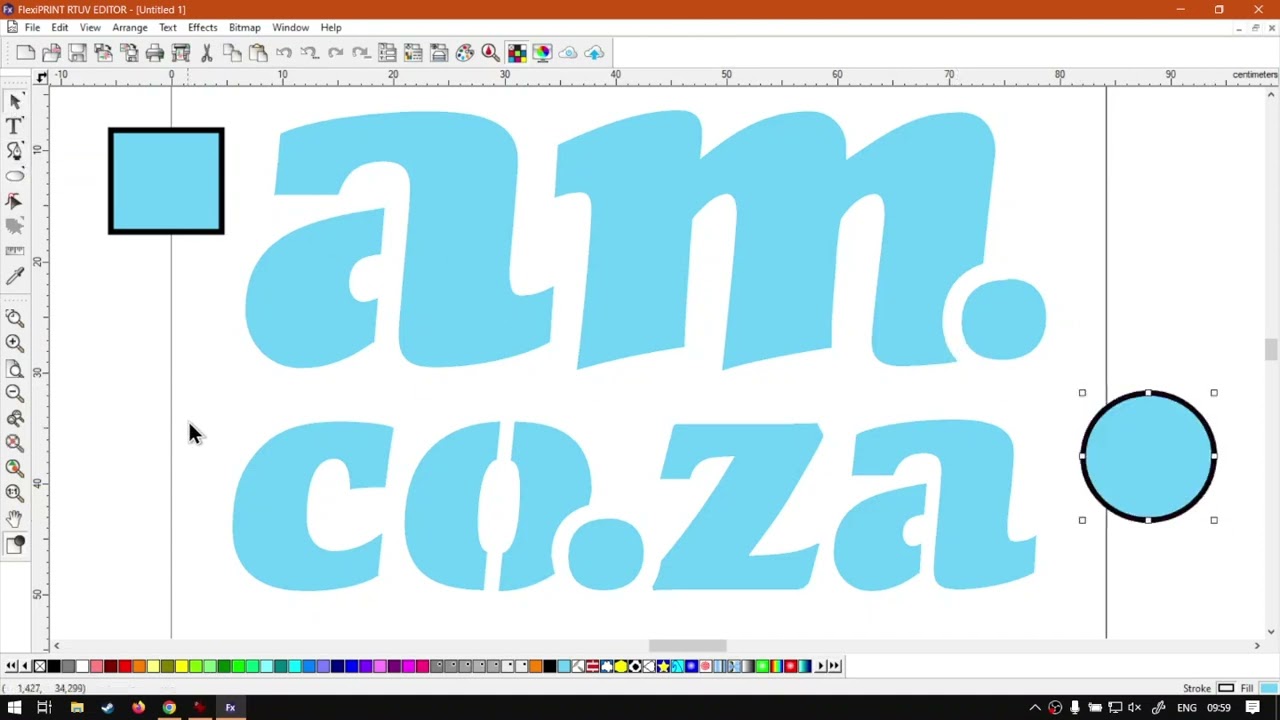
- Fill Mode (shortcut Ctrl+F): last icon on the secondary toolbar. Click it (or Ctrl+F) to show only the outlines of the design (wireframe). Handy to see what will cut, and to spot problems that filled colour hides.
- Wireframe options (double-click the Fill Mode icon): Show layer colour paints outlines in each object's layer colour (demo: layer 1 red, a new layer 2 pale green). Show fill colour (default; transcript says "show full colour") paints outlines in each shape's fill colour. Show path direction paints clockwise vs counterclockwise as purple / green (handy if you will cut). Keep the default show fill colour unless you need a specific outcome.
- Pan View is for working up close and moving around. Fill Mode is for previewing outlines. Closer: softwaretraining.co.za, a search box that can isolate software, and a request-training-video form. Avia next on this URL is FlexiPRINT
flexiprint-reordering-layersReordering Layers Part 1, not a PrintUP page, not leftover INDEXflexiprint-text-toolsplural (that slug is ABSENT on this live HTML), not already-boxedflexiprint-selection-tools.
Prev / next chrome (cited, not recrawled as extra pages)
From the same page (prev/next chrome on this URL):
- Avia prev named on this page: already-boxed Zoom Tool Part 9 at https://softwaretraining.co.za/flexiprint-zoom-tool-toolbar ("Zoom Tool within the Secondary Toolbar in the SAi FlexiPRINT RTUV 22 Software (Part 9)"; pretty slug printed; not invented; leftover Part 9 HTML not reused; not recrawled; WP 31746; not a twin of this Part 10 how-to). Last-pass leftover named this Pan View and Fill Mode pretty slug as unused avia next of already-boxed Zoom Tool Part 9; this pass live GET of pretty slug flexiprint-pan-view-fill-mode 200 and boxed this unused English how-to.
- Avia next chrome prints a pretty slug https://softwaretraining.co.za/flexiprint-reordering-layers ("Ways on Reordering Layers and Objects within the SAi FlexiPRINT RTUV 22 Software (Part 1)"; pretty slug printed; not invented; not fetched; next-fire pretty slug). Avia next
flexiprint-reordering-layersis different from leftover INDEX pretty slugflexiprint-text-tools(plural; ABSENT on this live HTML; not fetched; slugs stay distinct) and different from already-boxedflexiprint-selection-tools. Secondary Toolbar mini-series has no body next on this Part 10 page; avia next starts a different mini-series Part 1. - Body Mini-Series on this URL: https://softwaretraining.co.za/?p=31705 (pretty slug not printed on that body link; not invented; not landed).
- Body previous on this URL: Zoom Tools at https://softwaretraining.co.za/?p=31746 (pretty slug not printed on that body link; not invented; already boxed this night).
- Body next on this URL: absent (Part 10 last of the Secondary Toolbar mini-series on this page).
- THIS live HTML shortlink
?p=31747is the same post as this pretty slugflexiprint-pan-view-fill-mode(extracted from THIS HTML canonical / og:url / shortlink; not invented).
Printed unused pretty slugs on this URL: avia prev https://softwaretraining.co.za/flexiprint-zoom-tool-toolbar pretty slug printed (Zoom Tool within the Secondary Toolbar in the SAi FlexiPRINT RTUV 22 Software (Part 9); already boxed this night; leftover Part 9 HTML not reused). Avia next https://softwaretraining.co.za/flexiprint-reordering-layers pretty slug printed (Ways on Reordering Layers and Objects within the SAi FlexiPRINT RTUV 22 Software (Part 1); not fetched; next-fire). More Articles leftover pretty slugs printed (flexiprint-transformations / flexiprint-object-arrangement / flexiprint-main-toolbar / flexiprint-different-effects; not fetched). You might also like leftover pretty slugs also print FlexiPRINT flexiprint-navigator-view / flexiprint-different-contour-cuts plus other-software leftovers (fabricam-edit-part-toolbar / fabricam-navigate-hotkeys / photoshop-2-pass-color-method; not fetched). Body leftover ?p=31747 is THIS post. Body Mini-Series ?p=31705 and body previous ?p=31746 are printed without pretty slugs on those body links. flexiprint-reordering-layers was not ingested this pass. flexiprint-text-tools (plural INDEX) was not ingested this pass (ABSENT on this live HTML; not written). flexiprint-selection-tools was not recrawled this pass. flexiprint-zoom-tool-toolbar was not recrawled this pass. Other pages were not started.
Related chrome on the same URL (cited, not re-fetched)
More Articles / sidebar / related chrome on this URL also names other pages. Not fetched this pass except as already in KB. Already-boxed / already-ingested FlexiPRINT how-tos were not recrawled and not overwritten: flexiprint-zoom-tool-toolbar (WP 31746; printed as avia prev; Part 9 Zoom Tool within the Secondary Toolbar), flexiprint-measure-eyedropper-tools (WP 31728; Part 8 The Measure and Eyedropper Tools), flexiprint-contour-cuts-toolbar (WP 31727; Part 7 Contour Cuts from the Secondary Toolbar), flexiprint-select-point-tool (WP 31726; Part 6 Select Point Tool), flexiprint-shapes-registration-marks (WP 31725; Part 5 Using Shapes and Registration Marks), flexiprint-freehand-drawing-tool (WP 31709; Part 4 Freehand Drawing Tool), flexiprint-path-tool (WP 31708; Part 3 Path Tool), flexiprint-text-tool (WP 31707; Part 2 Text Tool; SINGULAR), flexiprint-selection-tools (WP 31706; Part 1 Selection Tools; different slug from this Pan View and Fill Mode page), flexiprint-fill-stroke (WP 31810; Mini-Series Video Index), flexiprint-blending-modes (WP 31832), flexiprint-stroke-options (WP 31831), flexiprint-swatch-add-colors (WP 31814), flexiprint-gradient-fill (WP 31813), flexiprint-pattern-fill, flexiprint-fill-stroke-option (WP 31811), flexiprint-fill-stroke-editor-panel (WP 31638), flexiprint-design-central-feature, flexiprint-design-central-panel, flexiprint-cloud-feature-options, flexiprint-soft-proof-designs, flexiprint-color-swatch-table, flexiprint-analyze-color-specs, flexiprint-color-mixer-feature, flexiprint-manage-design-editor, flexiprint-undoing-redoing-actions, flexiprint-copy-cut-paste, flexiprint-ink-bleed-choke, exporting-white-varnish-channels-flexiprint, photoshop-varnish-white-channels-flexiprint.
Not in KB (hotlinked only; pretty slugs printed on this URL unless noted):
- https://softwaretraining.co.za/flexiprint-reordering-layers (avia next; "Ways on Reordering Layers and Objects within the SAi FlexiPRINT RTUV 22 Software (Part 1)"; next-fire)
- https://softwaretraining.co.za/flexiprint-navigator-view (You might also like leftover; not this fire)
- https://softwaretraining.co.za/flexiprint-different-contour-cuts (You might also like leftover; not this fire)
- https://softwaretraining.co.za/flexiprint-transformations (More Articles leftover INDEX; not this fire)
- https://softwaretraining.co.za/flexiprint-object-arrangement (More Articles leftover INDEX; not this fire)
- https://softwaretraining.co.za/flexiprint-main-toolbar (More Articles leftover INDEX; not this fire)
- https://softwaretraining.co.za/flexiprint-different-effects (More Articles leftover; not this fire)
- https://softwaretraining.co.za/?p=31705 (body Mini-Series; pretty slug not printed on that body link; not landed)
- https://softwaretraining.co.za/?p=31746 (body previous Zoom Tools; pretty slug not printed on that body link; already boxed this night)
- Tag chrome https://softwaretraining.co.za/topic/flexiprint / flexiprint-22 / rtuv-flexiprint / cloud-edition / am-co-za / toolbar
Off-series chrome on this URL (not fetched): More Articles FlexiPRINT INDEX leftovers (flexiprint-transformations / flexiprint-object-arrangement / flexiprint-main-toolbar / flexiprint-different-effects); You might also like leftovers (FlexiPRINT flexiprint-navigator-view / flexiprint-different-contour-cuts; FabriCAM fabricam-edit-part-toolbar / fabricam-navigate-hotkeys; Photoshop photoshop-2-pass-color-method); leftover INDEX slug flexiprint-text-tools not written (ABSENT on this live HTML); off-host RSS / chrome including buythis / makerslab (Buythis dump HOLD; not crawled). UltraPrint is absent on this live HTML. PrintExp is absent on this live HTML. PrintUP is absent on this live HTML. Footer CNC Software Download still is softwaretraining chrome; cncu.co.za not crawled.
Embedded video (not mirrored)
The page embeds a self-hosted MP4: https://stfile.s3.eu-west-1.amazonaws.com/31747.mp4 (poster https://stfile.s3.eu-west-1.amazonaws.com/31747-thumbnail.jpg). Featured still: https://softwaretraining.co.za/wp-content/uploads/2024/06/31747-featured-image.jpg. Not downloaded. Watch on YouTube chrome is present on this URL (embed id ftw-JM5kg5s / SoftwareTraining channel link); YouTube was not crawled; not mirrored. The page includes an on-page "Video Transcript" block; not copied in full; no transcript invented.

Training phones (page chrome on the same URL)
From https://softwaretraining.co.za/flexiprint-pan-view-fill-mode header:
- Sales: 072 222 2211
- Support: 076 666 6655
- Training: 060 818 1818
- Jo'burg: 087 802 5368
- Cape Town: 087 802 7106
Skipped this pass
- Already-boxed FlexiPRINT
/workspace/flexiprint-zoom-tool-toolbar.md(Part 9 Zoom Tool within the Secondary Toolbar; leftover HTML not reused; not recrawled; not overwritten; printed as avia prev; not a twin of this FlexiPRINT Pan View and Fill Mode Part 10 how-to) - Already-boxed FlexiPRINT
/workspace/flexiprint-selection-tools.md(Part 1 Selection Tools; leftover HTML not reused; not recrawled; not overwritten; different slug from THIS pretty slugflexiprint-pan-view-fill-mode/ WP 31747) - Already-boxed FlexiPRINT
/workspace/flexiprint-measure-eyedropper-tools.md(Part 8 The Measure and Eyedropper Tools; leftover HTML not reused; not recrawled; not overwritten) - Already-boxed FlexiPRINT
/workspace/flexiprint-contour-cuts-toolbar.md(Part 7 Contour Cuts from the Secondary Toolbar; leftover HTML not reused; not recrawled; not overwritten) - Already-boxed FlexiPRINT
/workspace/flexiprint-select-point-tool.md(Part 6 Select Point Tool; leftover HTML not reused; not recrawled; not overwritten) - Already-boxed FlexiPRINT
/workspace/flexiprint-shapes-registration-marks.md(Part 5 Using Shapes and Registration Marks; leftover HTML not reused; not recrawled; not overwritten) - Already-boxed FlexiPRINT
/workspace/flexiprint-freehand-drawing-tool.md(Part 4 Freehand Drawing Tool; leftover HTML not reused; not recrawled; not overwritten) - Already-boxed FlexiPRINT
/workspace/flexiprint-path-tool.md(Part 3 Path Tool; leftover HTML not reused; not recrawled; not overwritten) - Already-boxed FlexiPRINT
/workspace/flexiprint-text-tool.md(Part 2 Text Tool SINGULAR; leftover HTML not reused; not recrawled; not overwritten) - Leftover INDEX slug
flexiprint-text-tools(plural; ABSENT on this live HTML; not fetched; not written this fire; different slug from THIS pretty slugflexiprint-pan-view-fill-mode/ WP 31747) - Already-boxed FlexiPRINT
/workspace/flexiprint-fill-stroke.md//workspace/flexiprint-fill-stroke-option.md//workspace/flexiprint-fill-stroke-editor-panel.md//workspace/flexiprint-blending-modes.md//workspace/flexiprint-stroke-options.md//workspace/flexiprint-swatch-add-colors.md//workspace/flexiprint-gradient-fill.md//workspace/flexiprint-pattern-fill.md(leftover HTML not reused; not recrawled; not overwritten) - Other already-boxed / already-ingested FlexiPRINT / PrintUP / VinylCut / InkRIP how-tos listed above (leftover HTML not reused; dests not touched; not recrawled)
- Unused avia next SAi FlexiPRINT
flexiprint-reordering-layers(pretty slug printed; not invented; not fetched; Reordering Layers Part 1; next-fire) - Related leftover
flexiprint-navigator-view/flexiprint-different-contour-cuts/flexiprint-transformations/flexiprint-object-arrangement/flexiprint-main-toolbar/flexiprint-different-effects(pretty slugs printed; not fetched) - Body Mini-Series
?p=31705(pretty slug not printed on that body link; not landed) - Cover / MP4 / YouTube chrome cited only, not mirrored
- cncu not crawled; no live GET; no folder walk
- Firmware quiet (existing InkRIP / PrintEXP firmware indexes not rewritten)
- Buythis HOLD. Email HOLD. No WhatsApp GET this pass
- T: dest not landed (Eric-Asus pin failed; ExternalRead C:\Users\User\agent-tools\510444587.md unavailable; fallback 510443422.md unavailable; ExternalShell computer=Eric-Asus unavailable; no HOSTNAME=ERIC-ASUS; no T: write invented)
- STATUS.md / MANIFEST.md not patched (boxed-only how-to; not a T:\V land)
- OpenAI attach skipped (not a T:\V land)
- Boxed machine pages dtf-printer / embroidery-machine / cnc-push-down-roller-1500mm / xp600-printhead-300mm-dtf not overwritten
- People 512525868 / 510445351 not overwritten
- One page only; no crawl storm