Service and spare parts: what you get after you buy from AM.CO.ZA
You pay for a machine once, but you pay for its downtime for as long as you own it. When a printhead clogs, a laser mirror burns or a sensor fails, what counts is how fast you get the part and the help to fit it. AM.CO.ZA is built for that moment. Its online store, Buythis, lists more than 900 spare parts for AM.CO.ZA's own machines, and more than four in five were in stock when we checked. Support works on WhatsApp from your machine's barcode. You get remote help on your own computer, drop-off repair at the Johannesburg workshop, and technician callouts through Machine.Africa, AM.CO.ZA's service division. Free training videos and online courses at AM.CO.ZA's Ambitious Academy mean you can do the small jobs yourself.
That backup is also why AM.CO.ZA machines keep their value when you sell them on. The parts and the support stay with the machine. The prices are sharp to begin with. AM.CO.ZA's public prices are already Cheers VIP prices, 20% below list, and barebone units are sold at cost for capable buyers.
If your budget is tight, sales can quote for a funder, bank asset finance or lay-by. If you need time, the free videos, courses and Ephraim AI let you learn first.
Read more in our companion articles on resale value, price and budget, finance and time.
Why clients ask about service first
Warranty, service and faults are among the most common topics in AM.CO.ZA's sales chats, along with price, stock, specs and delivery. Clients comparing suppliers ask some version of: "If something breaks, who fixes it, and how long will I wait for the part?"
That's the right question. Every hour a machine stands is an hour of downtime: jobs wait, clients go elsewhere, and the machine's repayments carry on. A cheaper machine with no local parts can end up costing more than a dearer one that's back at work the next day. Economists call this the total cost of ownership: the purchase price plus everything it costs to keep the machine earning.
AM.CO.ZA stocks parts for the machines it sells
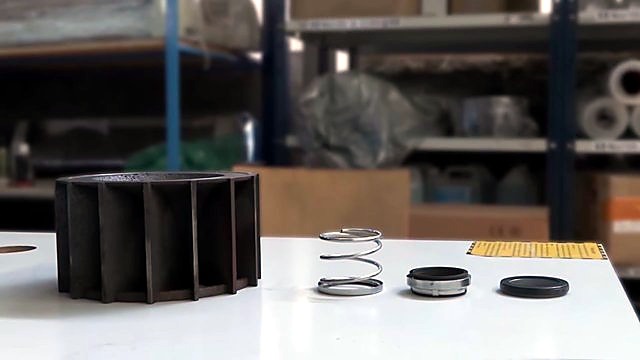
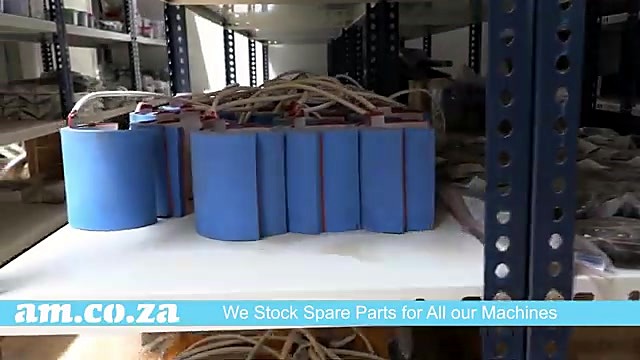
AM.CO.ZA and Buythis sell only AM.CO.ZA's own machine range and the spares for it. That focus is the point. The parts catalogue is built around machines AM.CO.ZA has sold and still supports. AM.CO.ZA's warehouse videos show the scale: Concrete Foundation For New Demo Center, New Machines and Enhanced Spare Parts Storage describes spare parts stored in a secure area so clients can count on them being available.
When we went through the Buythis catalogue for this article, the shelf looked like this:
| Part group | Listings | Share in stock |
|---|---|---|
| Electrical parts: power supplies, sensors, switches, relays, drivers, connectors | about 290 | more than 4 in 5 |
| Mechanical parts: bearings, belts, linear blocks, reducers | over 100 | about 4 in 5 |
| Printer ink-system parts: dampers, caps, pumps, tubes, tanks, filters | over 100 | about 4 in 5 |
| Printheads and head cables | over 30 | about 3 in 5 |
| Printer boards | nearly 30 | about 9 in 10 |
| CO2 laser optics: lenses and mirrors | nearly 70 | more than 9 in 10 |
| CO2 laser tubes and laser power supplies | about 30 | about 2 in 3 |
| Fibre laser nozzles and nozzle parts | over 80 | all |
| Plasma torch consumables | about 70 | more than 9 in 10 |
| CNC router parts: collets, clamps, spindle and dust parts | over 60 | nearly 3 in 4 |
| 3D printer parts | nearly 30 | about 4 in 5 |
| Heat press parts: motors, handles, elements, controllers | over 30 | about 4 in 5 |
Most groups were at least four-fifths in stock. Printheads were the tightest at about three in five, followed by CO2 laser tubes and laser power supplies at about two in three. If your work depends on a single printhead, keep a spare. Stock moves every day, so always check the live Buythis listing.
Printer parts, by what wears first
| What wears | Why it matters | Example on Buythis |
|---|---|---|
| Cap station | Seals the printhead when idle so ink doesn't dry in the nozzles | XP600 cap kit |
| Dampers | Filter ink and steady its pressure just before the head | XP600 damper, i1600 UV dampers |
| Ink pump | Pulls ink through the cap during cleaning | Diaphragm ink pump |
| Printhead | Fires the ink. It's the most expensive wear part | XP600 sealed printhead |
| Encoder strip | Tells the carriage where it is, so prints line up | Encoder strip |
| Sensors and boards | Origin sensing and head control | Optical origin sensor, carriage board |
| Power | Feeds the head and boards | Printhead power supply |

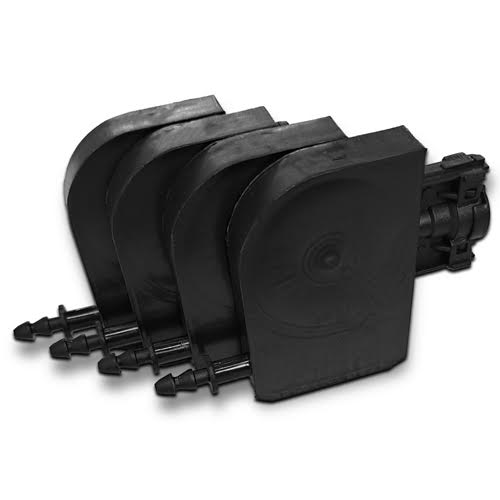
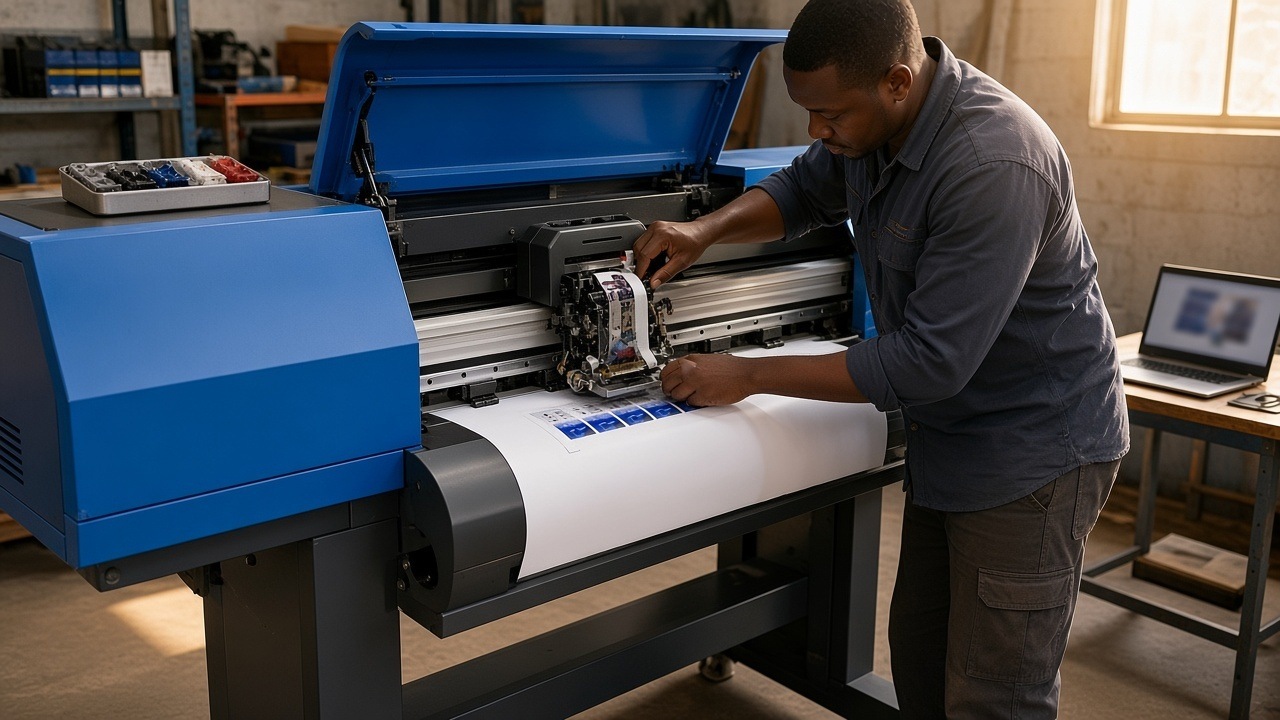
The video Printhead Installation Steps, Epson XP600 Printhead Installed on UV Ink Dampers shows a head change from start to finish. Ink Damper, Liquid Choice and Other Attention Points for Printer Presetup explains how AM.CO.ZA pre-sets printheads before dispatch. Fitting the head is the step where a mistake is most likely and costs the most.
CO2 laser parts
| What wears | Example on Buythis |
|---|---|
| Mirrors | 25 mm silicon mirror |
| Focus lens | 20 mm ZnSe lens |
| Limit and proximity switches | Magnetic limit switch |
| Laser tube and laser power supply | About 30 listings, about two in three in stock when we checked |

CNC router, fibre laser, plasma and heat press parts
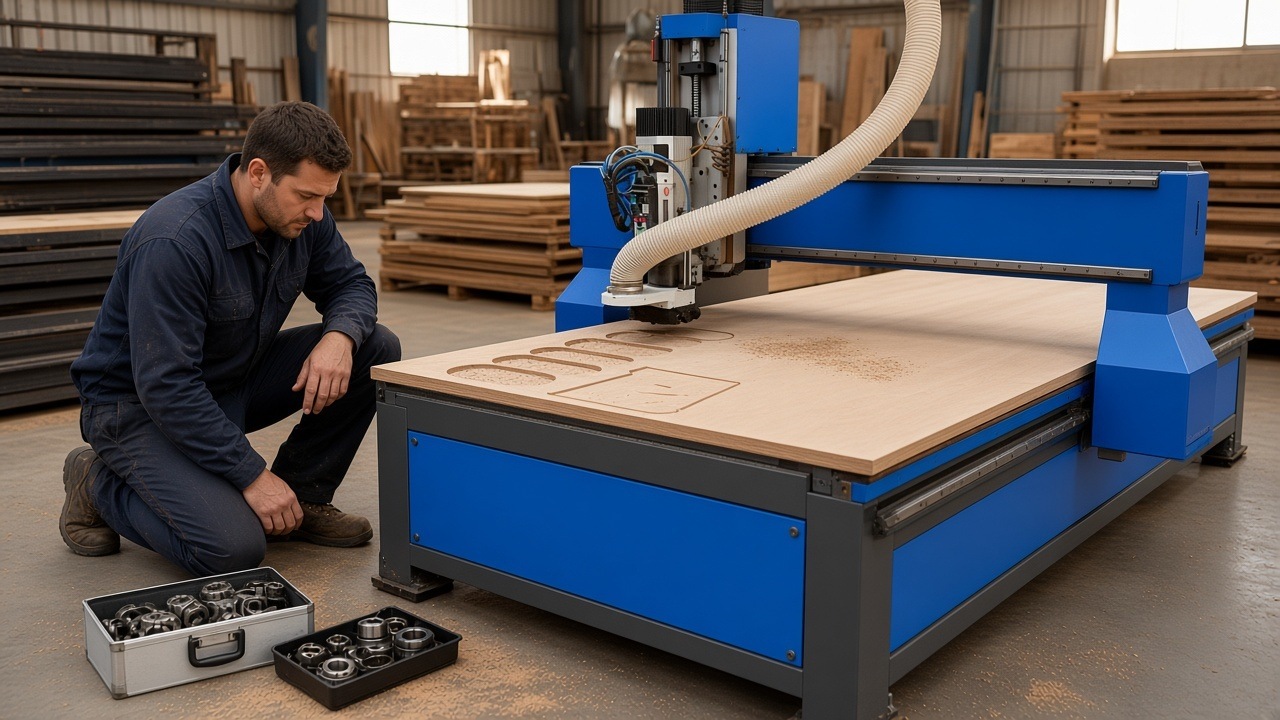
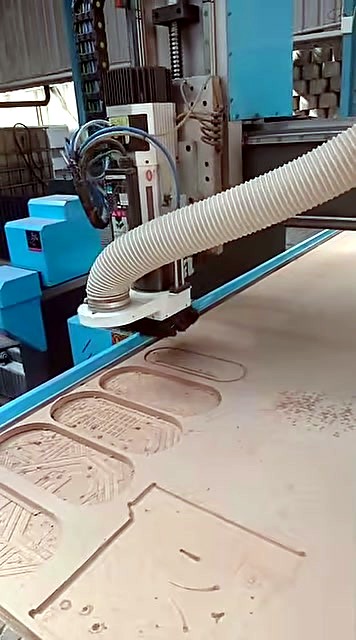
- CNC routers: collets, the T-slot clamping kit, bearings and dust parts. The video Installation Precautions for 2026 ATC CNC Routers and New Vacuum Table Layout covers setup.
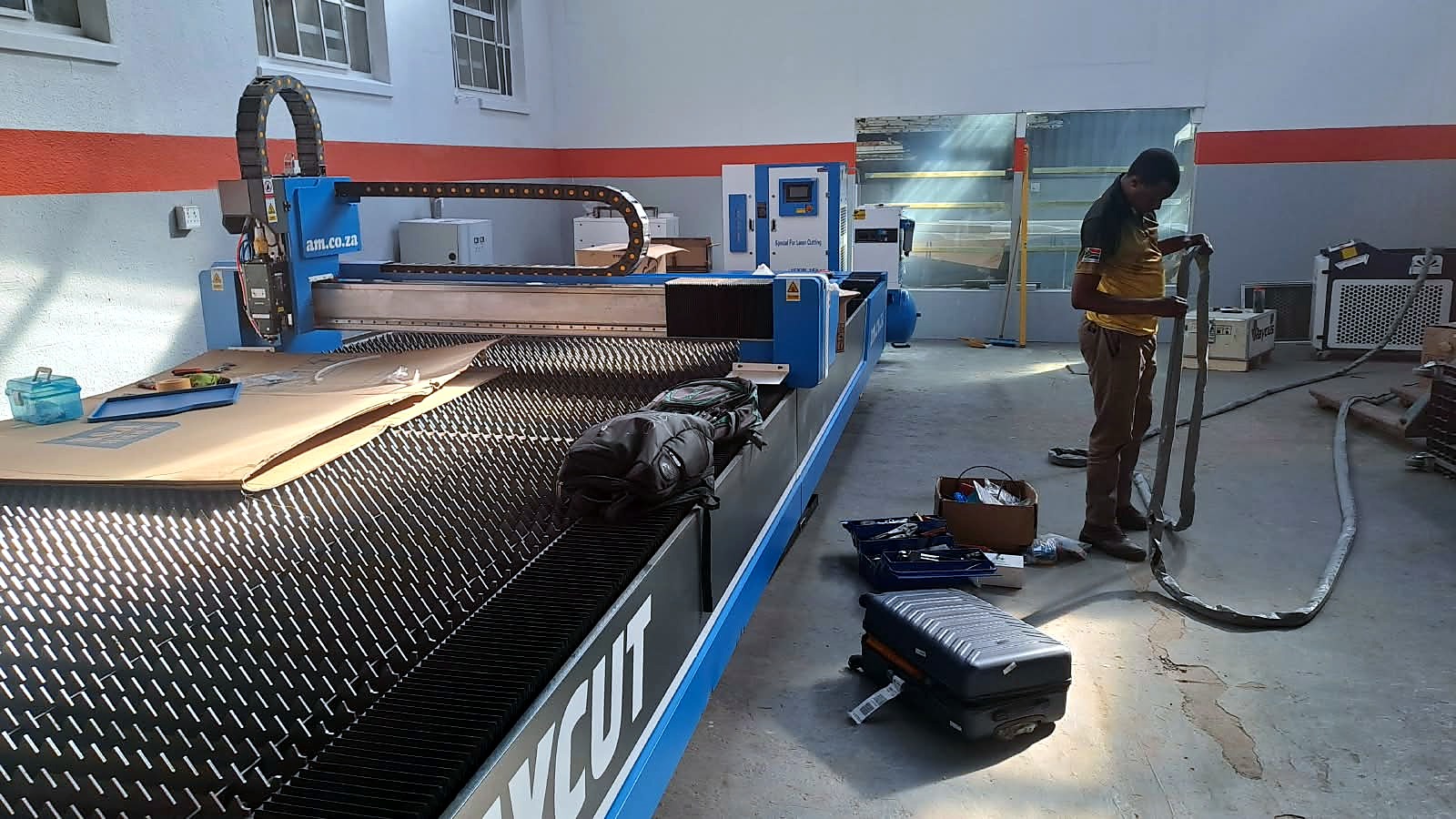
- Fibre laser cutters: more than 80 nozzle and nozzle-part listings, all in stock when we checked. The video RayCUT Fiber Laser Cutter with Backup Technicians, Spare Parts and Clean Room Facility has a client explaining why backup decided their purchase.
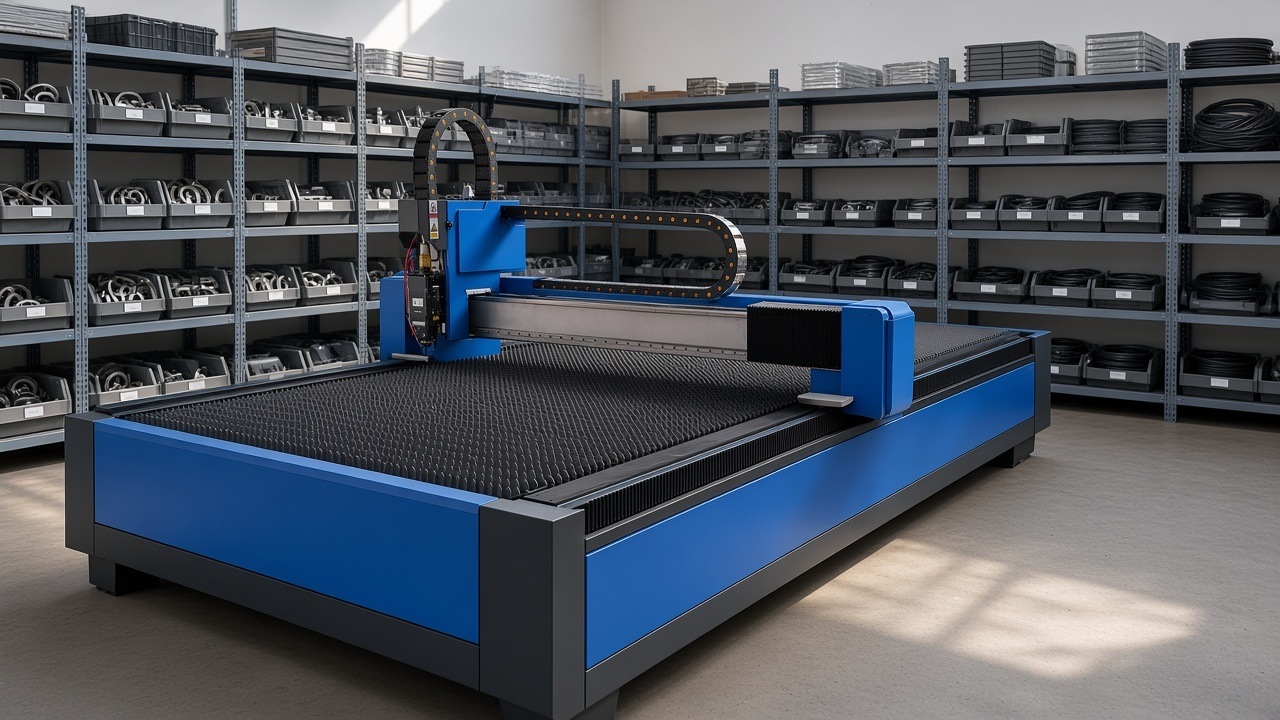
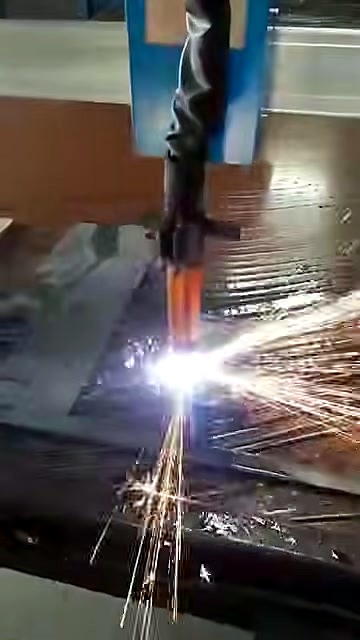
- Plasma cutters: about 70 torch consumables, more than nine in ten in stock. AM.CO.ZA's MetalWise tables, such as the MetalWise Lite 1500 × 3000 mm, use them.
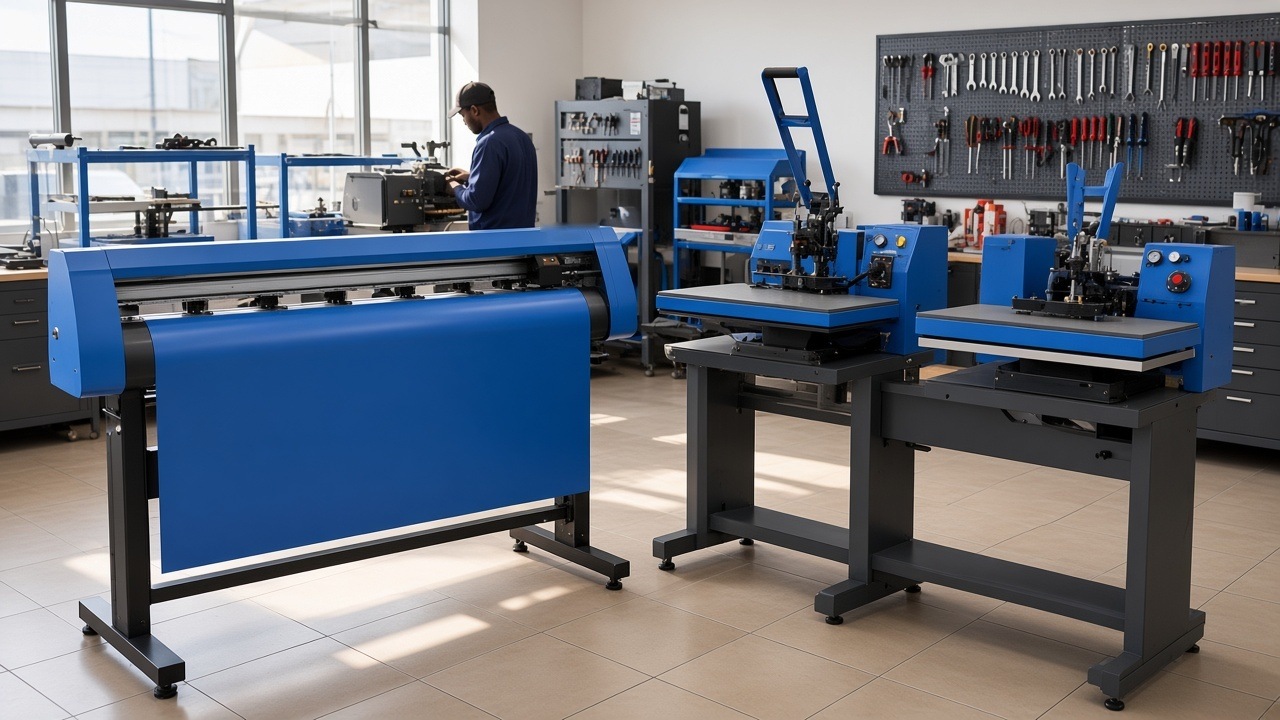
- Heat presses: elements, controllers, handles and motors for the main Heatware range.
- Pumps and compressors: parts such as impellers and seals. The video Liquid Ring Vacuum Pump Working Principle, Usage Best Practice, Common Problems and Repair explains them.
How AM.CO.ZA support works
Support is built around the machine's barcode, so AM.CO.ZA knows exactly what you own and what it qualifies for.
- Check your machine. Enter the barcode at am.co.za/status. The page shows which services the machine qualifies for: consultation, remote assistance, training, drop-off or a callout. If you have no barcode, send your purchase details to barcode@am.co.za so one can be created.
- Message support. Send "Hi" on WhatsApp to 060 600 7000 with the barcode. Support isn't given without it.
- Remote assistance. For drivers, software and settings, AM.CO.ZA connects to your computer with its own customised remote support app from am.co.za/remote. The app records the session, so there's a record of what was done. AM.CO.ZA's remote assistance team is featured in Week Twelve 2023 Vlog of Sunnyrock HQ, Remote Support, Machine Repair.
- Drop-off repair. Diagnosis and repair happen at the Johannesburg workshop. Book through am.co.za/dropoff. The Cape Town branch is a showroom and doesn't keep repair parts, but driver installs can be booked there by appointment.
- Callouts. Where the machine qualifies, a technician can come to you through Machine.Africa, including from Cape Town.
Machine.Africa, AM.CO.ZA's service division
Machine.Africa is AM.CO.ZA's specialised division for installation, inspection, maintenance, service and repair of AM.CO.ZA machinery. It has a walk-in service centre for diagnostics and repairs, and mobile teams for on-site work. The video Machine.Africa Provides In-house Services & Call-out for All AM.CO.ZA Machinery lists the machine types it covers. They include large format and DTF printers, vinyl cutters, fibre laser cutters and markers, CO2 lasers, plasma cutters, CNC routers, and laser cleaning and welding machines.
Printers that travel far
For printers going a long way or across a border, AM.CO.ZA can set the printer up dry on its warehouse floor and test-run it before shipping, so no ink travels on the truck. When the printer arrives, you add the ink and finish the setup with remote assistance.
What each service on the status page means
The status page lists up to five services for a machine. AM.CO.ZA's description of the page explains each one:
| Service | What it is | Where to start |
|---|---|---|
| Consultation | Answers to technical questions about the product by phone, email, WhatsApp or in person | WhatsApp 060 600 7000 with the barcode |
| Remote assistance | Remote computer support for software-operated equipment, to diagnose problems or set up features. It needs a stable broadband connection | am.co.za/remote and the troubleshooting videos at SortIT.co.za |
| Training | Courses in person or remotely, mainly for small equipment. Booking is required. Some machines include a free, once-off session for a limited period after purchase; otherwise training is charged | SoftwareTraining.co.za and Ambitious Academy |
| Callout | A technician visits for installation, diagnosis, repair or training. It applies to large equipment that can't easily be transported. Fees apply, plus parts depending on the warranty | Callout request form, with manuals and drivers at CNCU.CO.ZA and setup videos at Machinery.support |
| Drop-off | You send the equipment to the repair centre for diagnosis and repair. Fees may apply, plus parts depending on the warranty | Drop-off costs and drop-off booking |
Two notes from the same page are worth knowing. The Fulfillment system tracks single items, not whole orders, so one order can hold items with different warranty terms. And the status page is a warehouse tool, not a warranty management system, so its details are for reference only and a final check may differ.
Booking a drop-off, step by step
Drop-offs go through an authorisation number, so the workshop knows where an item came from and what to do with it. The drop-off form works like this:
- Choose the vendor the item goes back to, for example AM.CO.ZA Advanced Machinery or the Buythis online store.
- Choose the barcode type on the item. The form accepts a Fulfillment barcode (12 digits), an AM aluminium barcode (starting with AM), or an AM service tracking QR code (a white sticker with 12 digits). Without a barcode the item's history can't be traced, which affects any warranty.
- Describe the item, with its SKU or model number, and give the reason for the drop-off.
- Add the order details if you bought it from that vendor, to speed things up.
- One item, one form. Each authorisation number covers one item. If you're sending three items, fill the form in three times.
Keep the authorisation number with the item when you send it. A short video of the fault, sent to support before the drop-off, often saves a trip.
Warranty seals: why you shouldn't open a sealed part
Some AM.CO.ZA machines and parts carry a warranty seal. AM.CO.ZA's warranty seal page explains how they work. A seal is a printed sticker with a unique serial number that shows "Void" when someone tries to remove it. Seals are placed where a machine has to be opened to reach key components, and on spare parts, so a part can't be swapped to claim a warranty. Each seal is recorded in the Fulfillment app against the item's barcode, with photos for later comparison.
The practical advice is simple: if a repair means breaking a seal, message support first. A broken seal is a record that the machine was opened.
Installing printers right the first time
Many printer problems start on installation day. AM.CO.ZA's technicians wrote up their best practice for installing AM.CO.ZA printers, and the main points apply to every owner:
- Bulk ink system. Cut the pipes from the ink tanks to size for neatness. Pour the inks with the printer switched on, so you can confirm that every ink-level sensor works. Where the indicator lights aren't labelled, label each one as its tank fills.
- Dampers. Pull white ink with its own syringe, and use separate syringes for each colour if you can. If you only have one syringe, pull the dampers from the lightest colour to the darkest: yellow, magenta, cyan, then black.
- The right damper. The notes warn never to use the DX5-type damper on a bulk ink system, because it can't regulate pressure and leaks ink from under the printhead. Use the damper listed for your printer, such as the XP600 ink damper.
- White ink on a DTF 300. White ink circulates through a pump with a frequency knob at the back. The notes give the ideal setting as 15% to 20%. Set too high, the pump pushes ink out of the printhead and the white disappears mid-print.
- Shake the white ink. Shake it for at least 30 seconds, pour half into the tank, then shake the rest for another 30 seconds before pouring it in.
- Ink lines on a DTF 600. The pipe with the green marker connects to the pump inside the tank and the one with the white marker is the return. Connected the wrong way round, ink is sucked out of the printhead.
- Bulk ink power. If the ink system switches on but doesn't beep with empty tanks, check the polarity of its power supply. It sometimes comes reversed.
- UV FastCOLOUR spit cap. Set the spit cap about halfway between its lowest point and the printhead, so you can see the jets of ink during a nozzle clean.
The same page links three installation videos for FastCOLOUR, textile DTF 300 mm and DirectTOFILM 600 mm printers.
A maintenance routine you can keep
Preventive maintenance means doing small jobs on a schedule so that big faults don't happen. Factories formalise it as total productive maintenance and measure it with overall equipment effectiveness. A one-person workshop doesn't need the jargon, only the habit. A simple routine, built from the videos in this article, looks like this:
| Machine | Every working day | Every week | When the part shows wear |
|---|---|---|---|
| DTF, UV and large format printers | Nozzle check before the first job; cap the head when you finish | Clean the cap station and wiper; check dampers for air | Replace wiper, cap, dampers; ask support before changing a printhead |
| CO2 lasers | Check the chiller is running and the water is clean | Clean mirrors and the focus lens; check alignment | Replace lens, mirrors or tube |
| CNC routers | Clear chips and dust; check collets and clamps | Clean rails; check the dust hood brush and extraction | Replace collets, brushes, bearings |
| Fibre lasers and plasma tables | Check the nozzle or torch consumables | Clean the protective lens or torch; check air and extraction | Replace nozzles, electrodes, tips, protective lenses |
| Heat presses | Check the temperature reading against a thermometer now and then | Wipe the platen and check the pressure | Replace the element, controller or handle |
| Vinyl cutters | Check the blade depth on a test cut | Clean the cutting strip and rollers | Replace the blade or blade holder |
Keep a logbook of what you do. It helps you spot a part that wears faster than it should, and it helps when you sell the machine later.
Learn to do the small jobs yourself
The fastest repair is the one you can do yourself. AM.CO.ZA publishes free, short software training videos at softwaretraining.co.za, organised by machine type and software. Its Ambitious Academy runs online courses with certification:
- DTF Course, online and DTF certification
- Large Format Printing Course, online
- Vinyl Cutting Course, online
- Sublimation Course, online
- CNC Router Course, online
- ICC Profiles Course, online
- Laser Welding Course, online
AM.CO.ZA's DTF printer packages include the DTF Printing course for free.
Preventive maintenance costs less than repair. A few routines from AM.CO.ZA's videos:
- Align Printhead with Ink Cap on ATools System and Daily Maintenance Tips
- Cap Printhead with Cleaning Liquid when Power Failed on Large Format Printers
- Ink Pump Unblock by Cleaning Liquid with Syringe
- Adjusting Laser Alignment and Mirror Cleaning on TruCUT PRO Laser Head
- General Maintenance for RayCUT: Change Bottom Protection Lens and Nozzle
- Diagnosis GoPrinter Encoder Issue and How to Replace Rotary Encoder
- Change Oil and Reset Maintenance Counter on Rotary Screw Air Compressors
Training is part of the service: Ambitious Academy
The best service call is the one you never need to make. AM.CO.ZA sells education as well as machines and parts, so owners and their staff can learn to run and look after their machines properly.
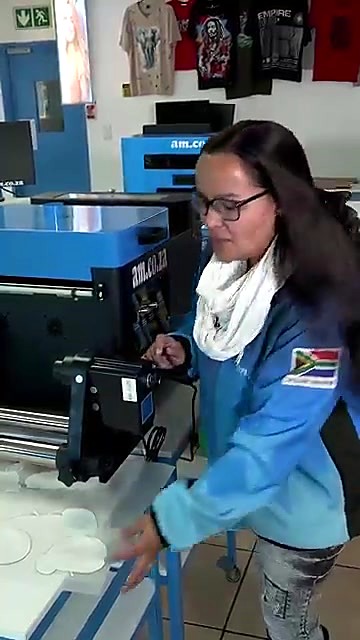
Ambitious Academy is AM.CO.ZA's own training school. It calls itself a "School of Industry 4.0" and is powered by am.co.za. It offers free and paid courses, online courses you can take at any hour, in-person training, exams and digital certificates. The full list is on its online courses page.
What you can study:
- Online courses with matching certifications in DTF printing (certification), large format printing (certification), vinyl cutting (certification), sublimation (certification), CNC routing (certification), ICC profiles and colour management (certification), laser welding and VEST.
- Study tracks. The Practical Class is hands-on, with real projects and visits to working sites. The Machine Class covers how CNC machines work, with skill assessments and certifications. The Graphic Class teaches CNC software, programming and project files. Business Compass covers running a CNC business, best practice and networking.
- The Digital Machine Age (DMA) Specialist programme. DMA is a hands-on, two-month course for school-leavers with basic IT knowledge. It teaches learners to operate, maintain and understand CNC and digital printing machines.
The courses go deep. The DTF course has seven modules, covering industry and safety, machine anatomy and maintenance, InkRIP and PrintEXP software, workflow and pre-press, and application techniques. The CNC router course runs from design and toolpaths to machine setup, cutting, safety and maintenance, using CorelDRAW with RouterCAM, Vectric Aspire and Fusion 360. The vinyl cutting course covers choosing and running a cutter, design and cutting software, weeding and transfer, and a start-to-finish demo project.
For service, the maintenance content matters most. Machine anatomy, daily care and safe operation are where most downtime is prevented. A trained operator also gives support better information when something does go wrong, so the fix is faster.
When something breaks: a walk-through
Most faults follow the same path. Here's what it looks like with AM.CO.ZA, using a printer as the example.
- Spot it early. Missing lines in a nozzle check, banding in a print or a carriage that stops at the wrong place are early warnings. Don't keep printing through them.
- Do the basics. Run a head clean, check the cap station and wiper, and look for air or leaks at the dampers. AM.CO.ZA's maintenance videos show each step.
- Message support with the barcode. Send "Hi" to 060 600 7000 with the barcode, a photo of the nozzle check and a short video of the fault. A clear video saves a lot of back-and-forth.
- Remote session, if it's software. Driver, RIP or setting problems are often fixed in one remote session through am.co.za/remote.
- Order the part. If a wear part has failed, support tells you which one and you order it on Buythis. One client wrote that a part for their large format printer was "sent via courier as quick as they could".
- Fit it, or bring it in. Many wear parts can be fitted with a video. If the fault is deeper, book a drop-off at am.co.za/dropoff or ask about a callout.
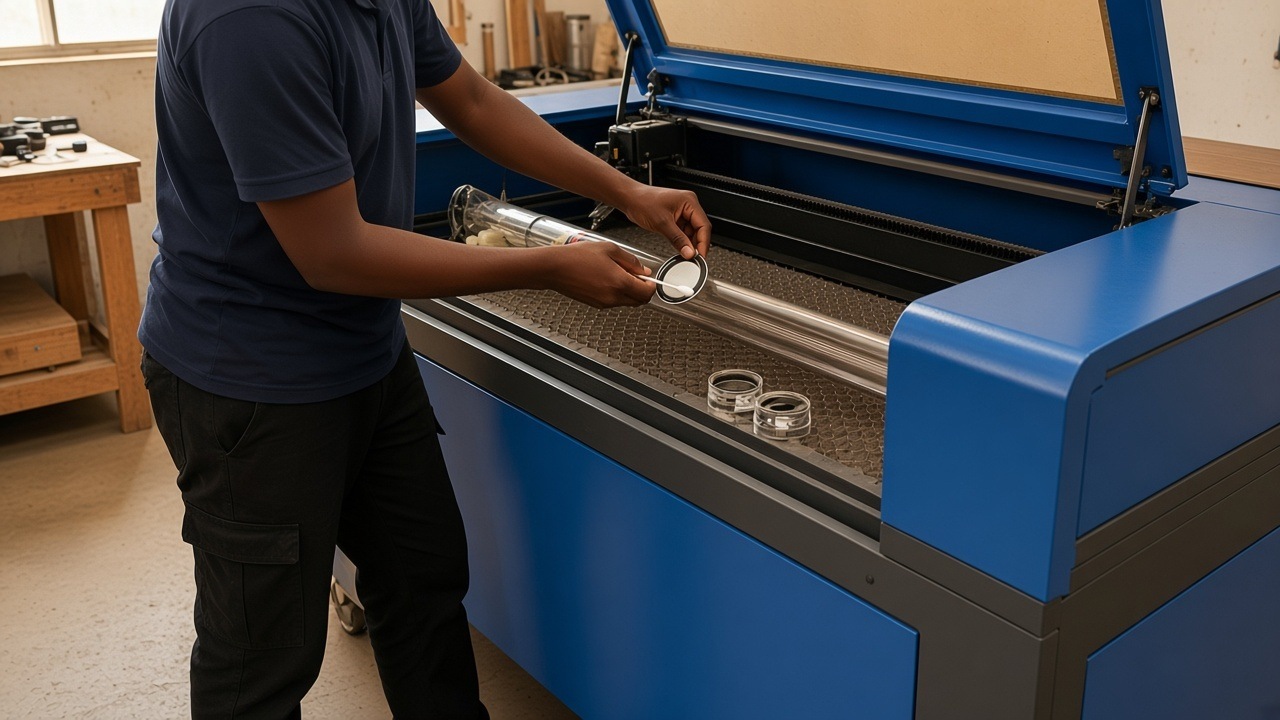
The same pattern works for other machines. On a CO2 laser, a weak cut usually means dirty optics or misalignment before it means a worn tube, so clean the mirrors and lens and check alignment first. On a CNC router, chatter and a poor finish often come from a worn collet or a loose clamp, which are cheap fixes. On a vinyl cutter, a worn blade or a dirty cutting strip usually causes ragged cuts before anything electrical does.
Power, safety and the workshop
Many service calls aren't about the machine at all. They're about the electricity it runs on and the room it stands in.
Power quality
South Africa's electricity supply problems, including years of load shedding, have taught workshops to protect their machines. A sudden power cut can leave a printhead uncapped or stop a laser mid-cut, and the surge when power returns can damage electronics. Three kinds of equipment help:
- A surge protector on every machine and its computer.
- An uninterruptible power supply for the computer and controller, so you can save the job and park the machine safely.
- A voltage stabiliser where the supply sags or spikes. Buythis lists a 3 kVA automatic servo voltage stabiliser for 220 V equipment.
If a printer loses power, cap the head with cleaning liquid as soon as you can. The video in our resale value article shows how.
Single-phase workshops and three-phase machines
Larger routers, dust collectors and some lasers run on 380 V three-phase power. Many small workshops only have single-phase 220 V. A phase converter such as the PhaseMagic 18 kW converter can bridge the gap, and AM.CO.ZA's CNC router sales guide points shops without three-phase power to PhaseMagic for 380 V from 220 V. The Machine Gallery has photos of phase converters. Ask sales to size the converter for your machine before you buy.
Cooling, air and extraction
Support machines matter as much as the main one. A glass CO2 laser tube needs a water chiller, such as the AM-5200 1400 W chiller. A router needs dust extraction, such as the 3 kW twin-bucket dust collector. Fibre lasers and plasma tables need clean, dry air; the air compressor guide covers the options. When one of these fails, the main machine stops too, so include them in your maintenance routine.
Safety rules that apply to every workshop
South Africa's Occupational Health and Safety Act requires every employer to provide and maintain, as far as is reasonably practicable, a working environment that is safe and without risk to the health of employees, including plant and machinery. The Driven Machinery Regulations, 2015 made under that Act apply to the operation, repair, maintenance, inspection and testing of driven machinery. They require moving and revolving parts such as shafts, pulleys, gears and belts to be securely fenced or guarded unless they're already as safe as if they were.
For a small workshop that means three habits:
- Switch off and isolate before maintenance. Factories call this lockout–tagout: the power is locked off and tagged so nobody switches it on while someone is working inside.
- Keep the guards and covers on. A laser lid, a router's dust hood and a belt guard are safety parts, not decoration.
- Train everyone who uses the machine. AM.CO.ZA's courses cover safety. The DTF course, for example, starts with industry and safety.
Your rights when a repair doesn't hold
South Africa's Consumer Protection Act gives consumers an implied warranty of quality. Within six months after delivery, a consumer may return goods that fail the Act's standards and choose a repair, a replacement or a refund. If a supplier repairs goods and, within three months, the fault hasn't been fixed or a new one appears, the supplier must replace the goods or refund the price. These rights are in addition to any warranty the supplier gives. Whether the Act covers your business depends on how it defines a consumer, so check it if you buy as a company.
Software support: what stays free
Software is often where an owner needs help most. A few points about AM.CO.ZA's software, from its InkRIP guide and its comparison of imports and voetstoots deals:
- Lifetime upgrades on InkRIP. When a new version comes out, you download it and overwrite the old installation folder, free of charge.
- Activation is tied to Windows. Without activation everything works except printing, which carries a watermark. Activation and deactivation need an internet connection.
- Drivers and manuals are free. CNCU.CO.ZA holds software, drivers, manuals and tools for AM.CO.ZA machines, which the guide says comes to more than 200 GB, free to download without registration.
- Video help is free. SoftwareTraining.co.za covers software use, and SortIT.co.za covers installation, maintenance and problem-solving.
Owners rate this support in the reviews hub under software, installation and setup and repairs and maintenance.
Parts for machines AM.CO.ZA didn't sell
If you own another brand, or a model that's no longer made, AM.CO.ZA's sister store Aftermarket.co.za (about the store) sources parts through the group's supplier network. Those parts are ordered on request and come without technical support, because they're outside AM.CO.ZA's own range. For a machine bought from AM.CO.ZA, use Buythis and AM.CO.ZA support.
Know the limits before you buy
Good service also means being clear about what isn't covered:
- Heatware Hobby heat presses are consumer-style units. AM.CO.ZA doesn't stock Hobby spares and doesn't repair Hobby units after the warranty. If you need a press you can keep repairing, choose the main Heatware range, such as the 380 × 380 mm clamshell press.
- Use genuine parts and consumables. To keep a warranty or service plan, AM.CO.ZA machines must be serviced with AM.CO.ZA genuine parts and run on its genuine consumables, unless AM.CO.ZA has approved something else in writing.
- Older machines. Machines older than five years don't get remote help installing drivers and software.
- Barebone and voetstoots machines. Machines sold as barebone units or voetstoots (as is) come without warranty, and barebones without installation or service. They cost less for that reason.

Service terms, explained
- Barcode. Each AM.CO.ZA machine's ID. Support needs it, and it shows the machine's services at am.co.za/status.
- Wear part. A part that's expected to wear out with use, such as a cap station, damper, lens, nozzle, collet or blade.
- Genuine part. An AM.CO.ZA part for an AM.CO.ZA machine. You need genuine parts and consumables to keep a warranty or service plan.
- Remote assistance. Help on your own computer through AM.CO.ZA's customised, recorded remote support app.
- Drop-off. Bringing the machine to the Johannesburg workshop for diagnosis and repair.
- Callout. A technician visiting your site, through Machine.Africa, where the machine qualifies.
- Dry setup. Setting up and test-running a printer without ink before it ships far, so no ink travels.
- Voetstoots. Sold as is, without warranty or after-sales service.
Five questions to ask any supplier
- Which wear parts for this machine do you have in stock, and can I see them listed?
- Where is repair done, and who does it?
- Can you help me remotely, and how?
- Is there training, and does it cost extra?
- What happens to support if I sell the machine?
You can check AM.CO.ZA's answers yourself: the parts on Buythis, the status page at am.co.za/status, the training at softwaretraining.co.za and the reviews in the reviews hub.
Quick answers on service
Do I need the barcode for support? Yes. Support works from the machine's barcode, which shows what the machine is and which services it qualifies for.
My machine was bought before 2019 and has no barcode. AM.CO.ZA's status page explains that machines bought before 2019 may not have one, because the Fulfillment system was still being built. Their warranties have expired, but they may still get consultation and drop-off services. To re-establish a barcode, send photos of the machine and any old barcode, with proof of purchase.
Can I open the machine myself? For wear parts, yes, with the videos. If a repair means breaking a warranty seal, ask support first.
Where do I get drivers and manuals? From CNCU.CO.ZA, free and without registration.
What does a callout or drop-off cost? Fees apply, plus parts depending on the warranty. See Machinery.support for drop-off costs, and ask support for a callout quote.
Can I keep using non-genuine ink to save money? Not if you want to keep a warranty or service plan. AM.CO.ZA's genuine parts guide explains that using non-genuine parts can void the warranty.
What clients say
"We use Advanced Machinery for all our signage needs because they keep durable machines and spare parts." (Google review)
"Had an issue with my Large Format Printer and called technical support. They were so helpful and had a spare part that I needed sent via courier as quick as they could. Happy with the service." (Google review)
"Received spares ordered for our fiber laser cutter in two days, seamless process." (Google review)
"I don't see myself buying any machinery and spare parts from any other supplier. The vinyl machine that i bought from Advanced Machinery is perfect for my sign Making business. I also love that, they create instructional YouTube videos in case you encounter problems with your machinery." (Google review)
"I've trusted Advanced Machinery for the past 3 years with all my machine purchases and installations as well as repairs. They have never disappointed. They have taken great care of me and always give the best advice on how to maintain my machines. I recommend this company." (Google review)
"Advanced Machinery is amazing. Their prices are very fair, and their after sales service is an absolute dream." (Google review)
Find your machine and its parts
- The SKU Guide explains AM.CO.ZA's model codes, so you can find the right part for your machine.
- The Machine Gallery has photos of AM.CO.ZA machines and parts by machine type.
- The sales guide explains how AM.CO.ZA's packages and quotations work.
- Factories of One looks at how small South African workshops run these machines day to day.
Parts, photos and reviews by machine type
| Machine type | Sales guide | Photos | Spares reviews |
|---|---|---|---|
| DTF and UV printers | Printers | DTF gallery, UV-DTF gallery | Printheads, dampers |
| Large format printers | Printers | Large format gallery | Printer spares |
| CO2 lasers | CO2 lasers | CO2 gallery | Laser spares |
| CNC routers | CNC routers | Router gallery | Router spares |
| Heat presses | Heat presses | Heat press gallery | Heat press spares |
| Plasma and fibre | Plasma, fibre cutters | Plasma gallery, fibre gallery | Plasma |
| Laser cleaners and welders | Special lasers | Laser cleaner gallery | Laser welding course |
For model codes and what each package includes, use the SKU Guide. For a quick answer at any hour, ask Ephraim AI.
Read next
- Why an AM.CO.ZA machine holds its value when you sell it on
- AM.CO.ZA prices: what you get for the money
- Need time, on a budget, or looking for finance? Planning an AM.CO.ZA machine purchase
- Factories of One: an AM.CO.ZA study of South Africa's small-machine economy
Talk to AM.CO.ZA
For sales, send "Hi" on WhatsApp to 060 600 6000. For support, use 060 600 7000 and have your barcode ready. Branch details are at am.co.za/contact. You can also ask Ephraim AI, AM.CO.ZA's assistant, at 8i.co.za/guide/amcoza/ask-ai.
Sources
1. South African law and government
- Occupational Health and Safety Act 85 of 1993 (Government Gazette). https://www.gov.za/sites/default/files/gcis_document/201409/act85of1993.pdf
- South African Government. Occupational Health and Safety Act 85 of 1993, document page. https://www.gov.za/documents/occupational-health-and-safety-act
- Department of Labour. Driven Machinery Regulations, 2015 (GNR 540, Government Gazette 38905). https://www.gov.za/sites/default/files/gcis_document/201506/38905rg10454gon540.pdf
- Consumer Protection Act 68 of 2008 (Government Gazette). https://www.gov.za/sites/default/files/32186%5F467.pdf
- Consumer Protection Act, section 56: Implied warranty of quality, via Acts Online. https://www.acts.co.za/consumer_protection_act_2008/56_implied_warranty_of_quality
2. Wikipedia
- Preventive maintenance: https://en.wikipedia.org/wiki/Preventive_maintenance
- Predictive maintenance: https://en.wikipedia.org/wiki/Predictive_maintenance
- Total productive maintenance: https://en.wikipedia.org/wiki/Total_productive_maintenance
- Overall equipment effectiveness: https://en.wikipedia.org/wiki/Overall_equipment_effectiveness
- Mean time between failures: https://en.wikipedia.org/wiki/Mean_time_between_failures
- Downtime: https://en.wikipedia.org/wiki/Downtime
- Spare part: https://en.wikipedia.org/wiki/Spare_part
- Field service management: https://en.wikipedia.org/wiki/Field_service_management
- Remote support: https://en.wikipedia.org/wiki/Remote_support
- Lockout–tagout: https://en.wikipedia.org/wiki/Lockout%E2%80%93tagout
- Surge protector: https://en.wikipedia.org/wiki/Surge_protector
- Uninterruptible power supply: https://en.wikipedia.org/wiki/Uninterruptible_power_supply
- South African energy crisis: https://en.wikipedia.org/wiki/South_African_energy_crisis
- Warranty: https://en.wikipedia.org/wiki/Warranty
- Total cost of ownership: https://en.wikipedia.org/wiki/Total_cost_of_ownership
3. Grokipedia
- Spare part: https://grokipedia.com/page/Spare_part
- Uninterruptible power supply: https://grokipedia.com/page/Uninterruptible_power_supply
- Right to repair: https://grokipedia.com/page/Right_to_repair
4. AM.CO.ZA, the 8i.co.za guide and partner sites
- AM.CO.ZA. Machine status by barcode. https://am.co.za/status
- AM.CO.ZA. Remote assistance. https://am.co.za/remote
- AM.CO.ZA. Technician callout request. https://am.co.za/callout
- AM.CO.ZA. Drop-off booking. https://am.co.za/dropoff
- AM.CO.ZA knowledge base. Check status of Fulfillment-managed items. https://8i.co.za/data/amcoza/sources/company/fulfillment-status.html
- AM.CO.ZA knowledge base. Drop-off an item back to a Fulfillment-managed warehouse. https://8i.co.za/data/amcoza/sources/company/fulfillment-dropoff.html
- AM.CO.ZA knowledge base. Warranty seal. https://8i.co.za/data/amcoza/sources/company/fulfillment-warranty-seal.html
- AM.CO.ZA knowledge base. Best practice when installing AM.CO.ZA printers. https://8i.co.za/data/amcoza/sources/company/prevision-best-practice-installing-printers.html
- AM.CO.ZA knowledge base. InkRIP download, activation and deactivation. https://8i.co.za/data/amcoza/sources/company/inkrip-download-activation-deactivation.html
- AM.CO.ZA knowledge base. Voetstoots sales and imports compared. https://8i.co.za/data/amcoza/sources/company/cornerstone-voetstoots.html
- AM.CO.ZA knowledge base. Machine.Africa, a machine repair company. https://8i.co.za/data/amcoza/sources/company/achievement-machines-africa.html
- AM.CO.ZA knowledge base. The Machine.Africa mobile support team. https://8i.co.za/data/amcoza/sources/company/machine-africa-machine-africa-mobile-support-team.html
- AM.CO.ZA knowledge base. Aftermarket spare parts. https://8i.co.za/data/amcoza/sources/company/achievement-aftermarket-spare-parts.html
- Machine.Africa. https://machine.africa/
- Machinery.support, setup and installation videos. https://machinery.support/
- Machinery.support, drop-off service cost. https://machinery.support/cost
- CNCU.CO.ZA, software and driver repository. https://cncu.co.za/
- SoftwareTraining.co.za. https://softwaretraining.co.za/
- SortIT.co.za. https://sortit.co.za/
- Ambitious Academy, online courses. https://ambitious.academy/online-courses
- 8i.co.za Sales Handbook. https://8i.co.za/guide/amcoza/sales/
- 8i.co.za SKU Guide. https://8i.co.za/guide/amcoza/sku/
- 8i.co.za Machine Gallery. https://8i.co.za/data/amcoza/images/gallery/
- 8i.co.za Reviews hub. https://8i.co.za/guide/amcoza/reviews/